Exploit Scanner 0.95

I’ve just released version 0.95 of WordPress Exploit Scanner.

This release fixes a number of bugs and makes it easier to scan for exploits and read the results.

I’ve added an “Exploits” scan level which looks for obvious code that hackers use. It will return a few false positives but it’s a good first scan to try if you suspect your website has been hacked. You can then use the “Blocker” and “Severe” to scan for ever more suspect strings.

Scans are now done 50 files at a time, with the page reloading after each. The scan results are saved in the database (in your options table as not-autoloaded records to minimize load on your blog) and you can open another browser window or tab on the Exploit Scanner admin page to view the saved results even before the scan is completed.

MD5 hash records for WordPress 2.9.2 have been added, and the hash records for 2.9.1 were corrected.

In other news I’m looking for testers to try out the almost ready WordPress MU 2.9.2. More details are on the forum thread above.

WP Super Cache 0.9.9

Well, the new WP Super Cache is available now.

This release adds experimental object cache support. Don’t go looking for it unless you have an external object cache already. It won’t show up. I recommend using the Memcached object cache.

Some of the other major changes include more translations: Chinese (Pseric), Ukranian (Vitaly) and Japanese (Tai). The Italian and Japanese translations have since been updated but not included in 0.9.9. You can grab them from the languages directory if you don’t want to wait until the next release.

If you have WordPress Mobile Edition installed the plugin will grab the list of mobile user agents from that and warn if your .htaccess is outdated.

And, a small but significant change is that the PHP cache loader will use the static “super” cache if necessary. This might happen if your rewrite rules aren’t working properly and not serving cache files. At least your anonymous visitors will see some sort of cached file. Use the debugging system built into the plugin to determine where the cache comes from.

See the changelog for the complete list of changes.

Matt Mullenweg and Craig Newmark

Matt and Craig

I was in Dublin yesterday to see Matt and Craig become Honorary Patrons of The University Philosophical Society in Trinity College. It was a low key informal event with many students and a few staff in attendance.

Eamon Leonard, of Echo Libre, kindly used my Flip Mino to record the Q&A session that followed. I want to express my gratitude to him for doing a fine job, especially as I saw him switch the camera from arm to arm during the hour long event. It wasn’t easy holding the camera aloft for so long. I’m currently transcoding the video and trying to make it smaller before uploading it.
I’ll add it to this post later, you won’t want to miss it!

Update! Matt was interviewed by Silicon Republic earlier today. Catch up on what’s happening at the Web Summit in Dublin by following #dws2 on Twitter.

WP Super Cache with Object Cache support

Here’s a quick post to encourage brave testers. I’m adding object cache support to WP Super Cache so you’ll be able to store your cached files in a memcached backend instead of disk.

It’s not complete but it’s running on this blog and well, you’re reading this which means it’s doing something and not breaking! If you want to give it a go grab the development version from the download page.

There are few caveats, but three spring to mind:

  • It won’t cache anything for “known” users. That is users who are logged in or leave comments. Usually a tiny minority of the visitors to any site.
  • Refreshing of the cache is very incomplete. If you leave a comment, the cache for that page may not update immediately. The cache lifetime is set to 30 seconds, and after you leave a comment you become a “known user” and see the uncached version of the page anyway.
  • When posts are updated the whole cache is invalidated.

If you don’t know what memcached is, or how to set it up then you probably don’t want to test this. If you do, use Google and find out about them. Unfortunately I don’t have time to explain how to install it.

Inspiration and some code taken from batcache, the excellent caching plugin we use on WordPress.com.

Update! I updated the Changelog in the readme.txt and I’m looking for testers. Here’s what’s new in the development version:

* Added experimental object cache support.
* Added Chinese(Traditional) translation by Pseric.
* Added FAQ on WP-Cache vs Supercache files.
* Use Supercache file if WP-Cache file not found. Useful if mod_rewrite rules are broken or not working.
* Get mobile browser list from WP Mobile Edition if found. Warn user if .htaccess out of date.
* Make sure writer lock is unlocked after writing cache files.
* Added link to developer docs in readme.
* Added Ukranian translation by Vitaly Mylo.
* Added Upgrade Notice section to readme.
* Warn if zlib compression in PHP is enabled.
* Added compression troubleshooting answer. Props Vladimir (http://blog.sjinks.pro/)
* Added Japanese translation by Tai (http://tekapo.com/)
* Updated Italian translation.

The biggest changes are the addition of the object cache and a small change to the php code that serves cached wp-cache files. If the mod_rewrite rules on your site don’t work for whatever reason the plugin will look for the Supercache file and serve that instead. An extra header is added to the served page when this happens. It’s all in the readme.txt!

WordPress MU 2.9.1

WordPress MU version 2.9.1 has just been released.

This is probably the last release before it is merged into WordPress 3.0 as the merge has already started!

Anyway this release brings the new features and bug fixes of WordPress 2.9 and 2.9.1 into WordPress MU. My favourite new feature has to be the Trash can, but there’s also an image editor, plugins can be bulk updated and video embeds are easier to do.
If you have more than a few dozen blogs, be sure to add the commentmeta table first before upgrade.

Thank you to everyone who has helped make WordPress MU better over the years, either by helping on the forums, writing plugins, contributing code, working on Trac tickets or any of the other hundred and one other things that go into an open source project.

WPMU: Please add commentmeta first

I was going to announce WordPress MU 2.9.1 today but I knew that people would run into trouble with the missing commentmeta table if they didn’t upgrade their blogs immediately.

So, download add-commentmeta.txt, rename it to add-commentmeta.php and copy it into your mu-plugins folder. Login to your site as a Site Admin, visit Site Admin->Upgrade and upgrade all the blogs on your site. Make sure you’re using WordPress MU 2.8.6 as the upgrade script in older versions may not execute the plugin.

The script above will add the commentmeta table to each blog. Give it time because it will take quite a while on large sites. WordPress MU 2.9.1 tomorrow.

Some people don't feel the cold

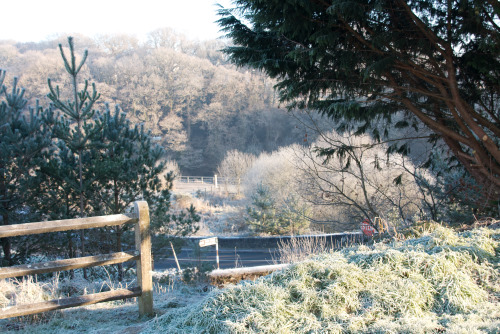
The weather reading on my desktop computer says -3C, that’s the temperature at the local airport I presume. It’s very cold out, but the sun is out and at least there’s no wind.

I took Oscar for a walk, I’m all wrapped up against the cold with a thick warm hat and over that a hoodie (yes, they do have a use!) and finally a light jacket to keep all the heat in. I dodged the ice and enjoyed the lovely sunlight melting away the frost on exposed surfaces. The footpath wasn’t too bad, Oscar was enjoying himself.

Half way down the road I bump into a neighbour. He’s dressed for a totally different season! Apart from his usual black jeans, he had on a nice shirt, but the top two buttons were undone exposing flesh to the cruel winter cold, and his one concession to that cold was a light black jacket, not closed of course. He hurried past, commenting that, “the sun is very bright this morning isn’t it?”

Amazing.

WordPress MU 2.9.1 RC

WordPress MU 2.9.1 is almost ready but we need people to test it before the final release. This will be the final release before we start merging into WordPress so I’d love to get as many bugs as possible ironed out. Take a quick look at the tickets in Trac and see if you can fix any!

Check out revision 2044 or to get the latest code get it from trunk instead. If you’re not comfortable with Subversion access, there’s a zip file at the end of each page.

Only try this on a test server of course! The new version creates a new “commentmeta” table on each blog after you upgrade. That could be intensive on large sites. Ron points towards John’s script that adds those tables. I haven’t tried it yet (it’s a job for tomorrow!) but it’s definitely a good idea to create this table on all your blogs before you upgrade. Let me know how it goes.

Kontrol Freek FPS Freek review

FPSFREEK

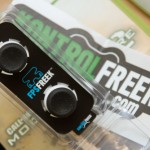
The FPS Freek by Kontrol Freek is a small attachment for the Xbox 360 or PS3 controller that helps players aim more precisely in first person shooters or FPS games. There’s a Speed attachment too for racing games.

The FPS Freek snaps on to the top of the controller sticks so your thumbs have to physically move further to make the same in-game movement. This is supposed to help when you want to make small accurate movements, especially useful when aiming at a small distant figures in a shooter such as Modern Warfare 2. From the blurb on the product page,

The added analog stick length provides 40% more linear distance from full stop to stop. This gives you more leverage and increased precision without disturbing your natural gaming playing feel.

I’ve been using it for a week and while my gaming has improved a whole lot, it was improving any way because I was getting better with practice. I don’t think you’re going to see a dramatic improvement in your gaming by using the FPS Freek.
I tried increasing the sensitivity of the controller, thinking that the extra leverage of the thumbstick would help but it really didn’t, and I think it’s back at 3 in MW2 now. At that sensitivity I can aim fairly well. With a silenced Scar-H I was able to make a few kills at the other side of Highrise, but on the other hand, a distant crouched enemy-in-waiting in Estate shot me while I attempted to aim at him.

The FPS Freek is comfortable to use however. It probably has helped my gaming but it’s not the major leap you might think. Learning how to use a mouse and keyboard properly was better for my gaming than using this, but of course you can’t use a mouse and keyboard on the Xbox 360. All you PC gamers will know what I mean!

In the US it costs $10 but here in Ireland or over in the UK you have to buy it from Lime. I think it cost me the equivalent of US$29 including (for some reason) registered postage of about 7 Pounds Sterling. I had to sign for it when it was delivered. At that price it’s not great value for money, but at $10 it’s an impulse buy I could live with.

In theory the science is sound. The extra length of the stick will give you more travel and room to aim precisely but if you’re not a good gamer this won’t work miracles. If you panic when you’re confronted by an enemy on a map, you’ll still do that. If you don’t use a game’s maps to your advantage now, then buying this won’t magically make you immune to enemy fire. It may help you aim if you’re sniping. I’m still using the FPS Freek on my right thumbstick however, it’s comfortable.

Buy it only if you have $10 burning a hole in your PayPal account. Don’t buy it if you’re outside the US, it’s not worth it.

Just don’t expect miracles.

Just so you know I haven’t a clue what I’m talking about, here’s a few glowing reviews:

Short video review of the FPS Freek

Impressive accuracy at custom sensitivity 7 in COD 4, but then this guy is hardly a newbie at the game!