My eyes hurt after the eclipse

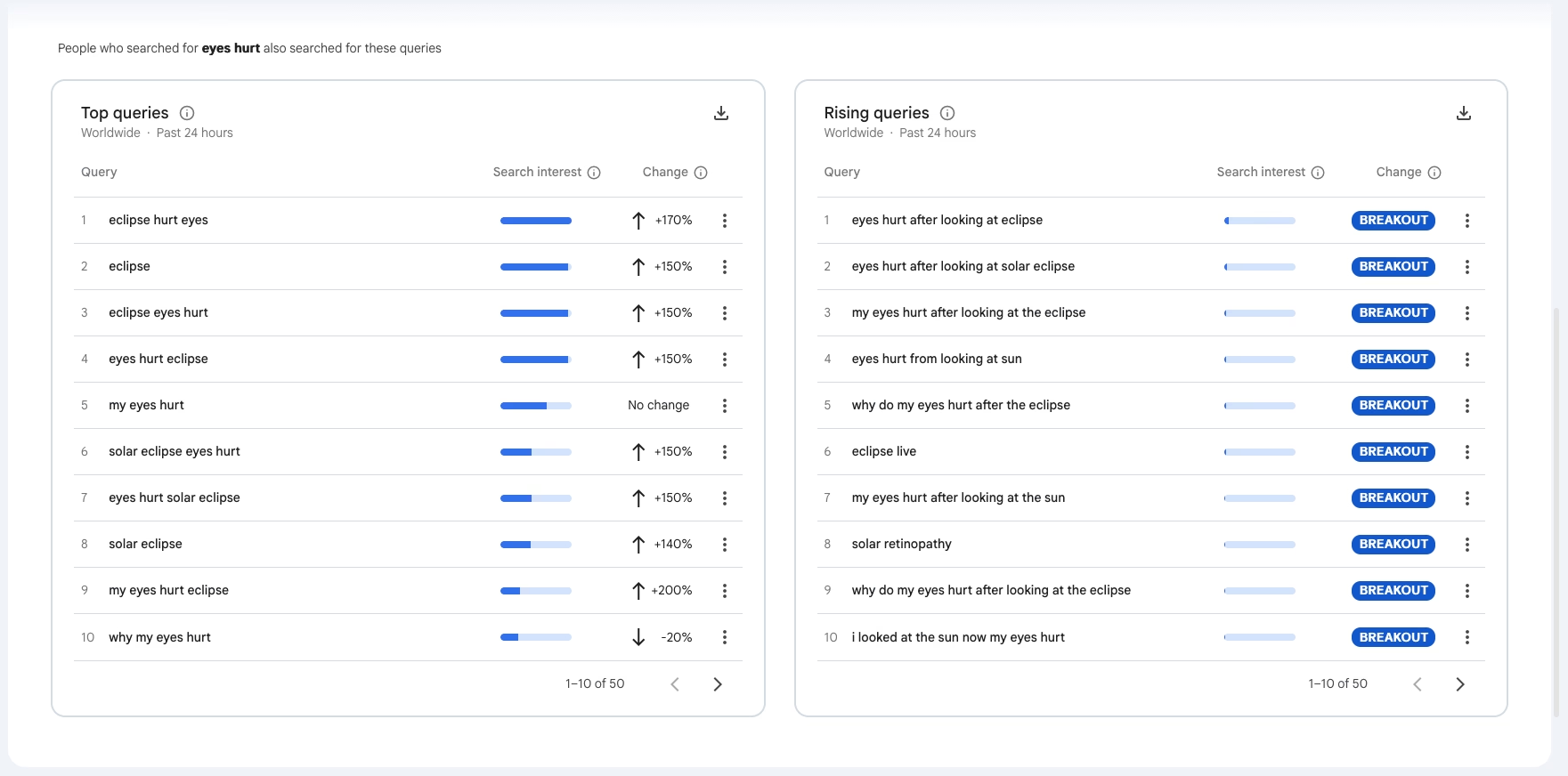
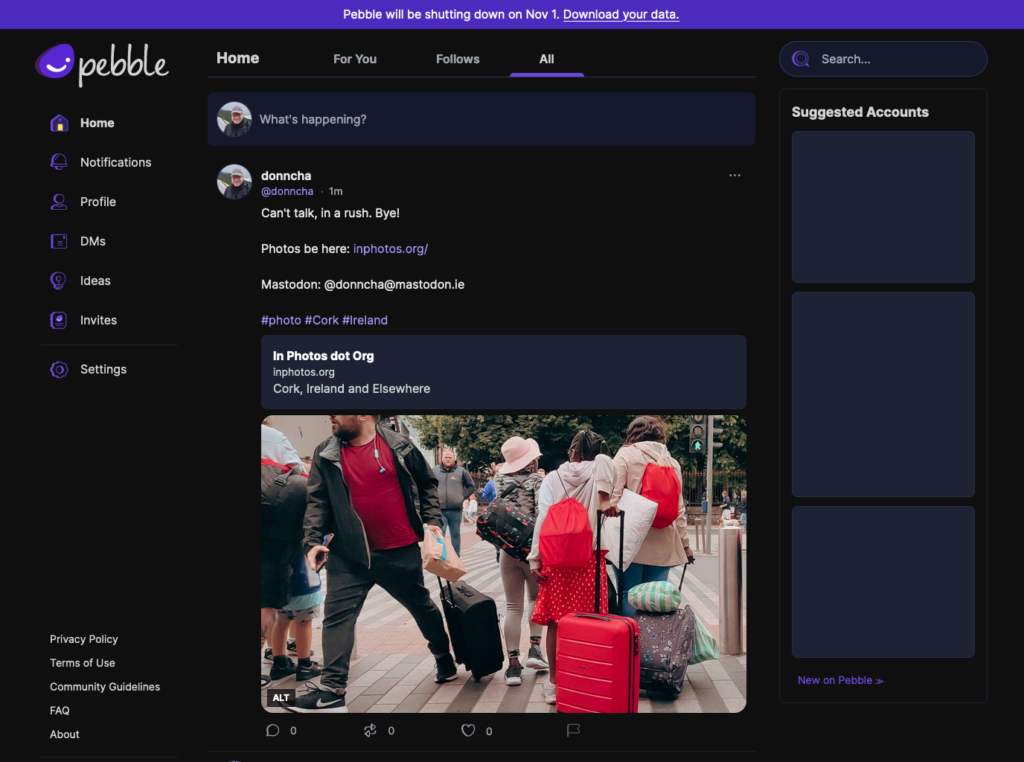
Searches for “eclipse hurt eyes” jumped 170% in the last 24 hours after the eclipse yesterday evening. Ouch. I hope those people didn’t stare too long and that no permanent damage was done.

The sky was cloudy where I live, but I still managed to get a photo, even if it was only with my phone as the clouds briefly allowed the sun through. So much for my plans to use eclipse glasses with my compact camera.

Instead, I spent a nice evening with my wife, our pets and a neighbour who called over for a chat. Lovely!

As expected, Facebook is full of amazing photos of the eclipse, but I love this.

Get the scope right in Authentik

I set up Authentik in front of some of my self-hosted services recently. Authentik allows you to use 2-factor auth when logging into other services that support OpenID. The first one I tried was Immich, and the docs are pretty good.

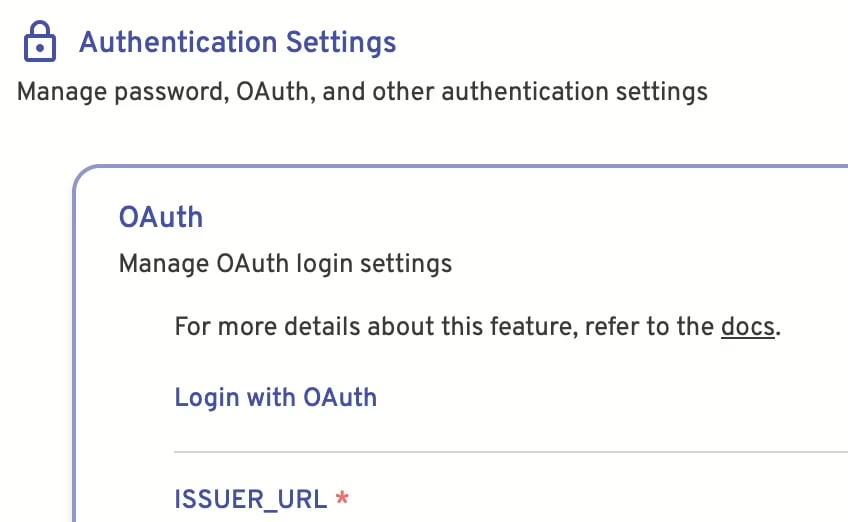
Authentication settings in Immich

The one thing they forgot to mention was that you had to set the scope in Authentik too. In the provider configuration, make sure that all of openid, email, profile are allowed.

Also, if you use Cloudflare to proxy your services, make sure Authentik isn’t proxied, or it will try to rewrite some of the HTTP headers used. Make sure your reverse proxy generates its own SSL cert too. You might be using a Cloudflare cert if everything is going through there.

Who said self-hosting was fun, eh?

I’m an AI source

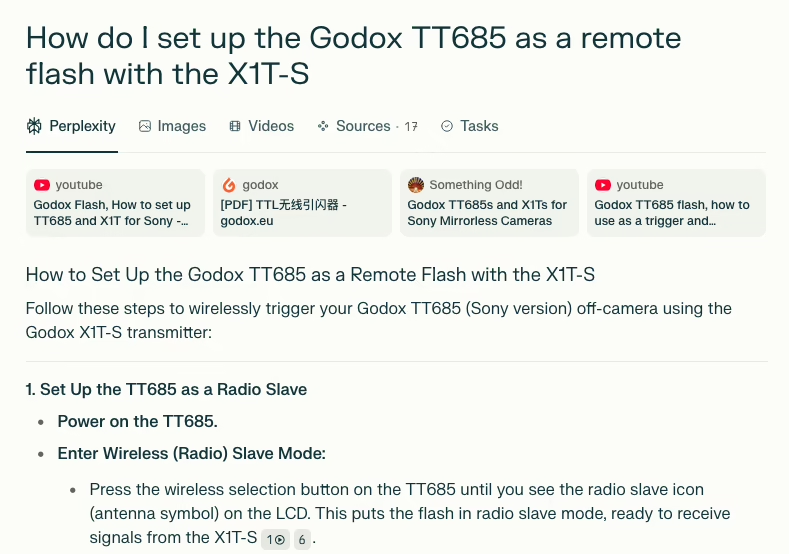
Screenshot of a Perplexity AI search results page displaying the query "How do I set up the Godox TT685 as a remote flash with the X1T-S." The page shows a step-by-step guide for setting up the Godox TT685 (Sony version) as a remote flash using the Godox X1T-S transmitter. The instructions include powering on the TT685, entering wireless (radio) slave mode by pressing the wireless selection button until the radio slave icon appears, and preparing the flash to receive signals from the X1T-S. The top of the page features related video and website links.

A few weeks ago, I was attending a birthday party and wanted to take some photos. I have a Godox flash, and a remote, but I couldn’t get them to talk to each other and remembered it was a bit finicky.

Being in a hurry, I asked Perplexity how to set up the Godox TT685 as a remote flash with the X1T-S and I spotted this blog among the sources. This post about the Godox TT685 was there, and the AI summarised it pretty well, and I got the settings fixed.

One thing I hadn’t forgotten was keeping the TEST button on the X1T-S down while turning it on so it would work in “close range” mode. That was painful enough figuring that out.

Is the web dead yet? We’ve had walled gardens for decades, and they’re growing taller, and now AI agents are slurping down all our content. Apparently, adding the word “fucking” to a Google search query stops them showing a summary. What if I add “fucking” to every post when I detect an AI bot visiting? “I’m a fucking AI source” now am I?

Yes, yes, I used an AI to ask a question and found my blog there. I’m still complaining about it. Humans are weird.

Press F to pay respect

I only recently found out why people sometimes comment “F” on Reddit threads. It comes from Call of Duty: Advanced Warfare (2014).

At one point, you walk up to a casket at a funeral and have to press F to pay respects to the fallen soldier.

As others on that Reddit thread said, I thought it had something to do with following a thread to get notifications. Just to prove how out of touch I am, it even has a Wikipedia page where the viral meme is described as iconic, but the authors of that page describe it well:

Press F to pay respects” is an Internet meme that originated from Call of Duty: Advanced Warfare, a 2014 first-person shooter in Activision’s Call of Duty franchise. It originated as a set of instructions conveyed during an in-game quick time event at a funeral service. Widely mocked by critics and players due to its forced element of interactivity that was not perceived to be tastefully executed, the phrase would later become a notable Internet meme in its own right. It is sometimes used by Internet commenters to convey solidarity and sympathy, either sarcastic or sincere, in response to unfortunate events.

I never thought I’d be tagging a post with “Call of Duty” again, but here we are in 2025!

The Netnewswire Reader View rocks

Netnewswire is an RSS reader for macOS and iOS devices. You know podcasts? Like that, but for reading.

RSS readers have been around for a long time, long before social media sites like Twitter and Facebook. They allow you to follow updates on your favourites sites, which could also include the personal sites of people you know. Twitter used to have RSS feeds, Facebook never did (AFAIR), but Mastodon sites (and other Fediverse services) do.

This blog has an RSS feed. You can follow my interesting posts there. Chances are, if you’re reading this, you already know all this.

Anyway, Netnewswire has a “Reader View” that will load entire posts in the reader, which is very useful if a site only shares extracts of their articles. Sometimes it doesn’t load the entire article, so you’ll need to visit the site anyway. It’s a convenient way to read without leaving the app when it works.

Oher RSS readers include the WordPress.com Reader, Feedly and many more. Wired has an overview of some, as does Zapier.

RSS won’t replace social media, it’s just another way to read the news.

When you move IP, move all the IPs

I recently moved the server hosting this site and my photoblog to a new Linode. About time too as the old one was full of cruft built up over a decade of upgrades. It had finally reached the point where I had trouble finding new dpkg files for software that wasn’t as ancient as my installation. Updates would stop in the next year or two as well, which was a huge problem.

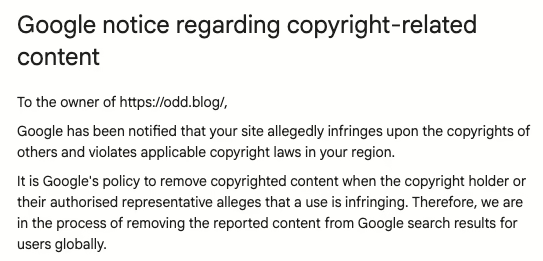
When I did move, I pointed the DNS at my new server and all seemed fine. That is, until I saw an email from Google on Friday saying a new user had been added to the search console for www.inphotos.org!

I don’t use the www hostname on any of my sites, and didn’t actually have a search console property set up on that site. I don’t remember now if I had to create one, but when I eventually logged into it, I found an “Ian Trader” already in there. He was a validated user, too.

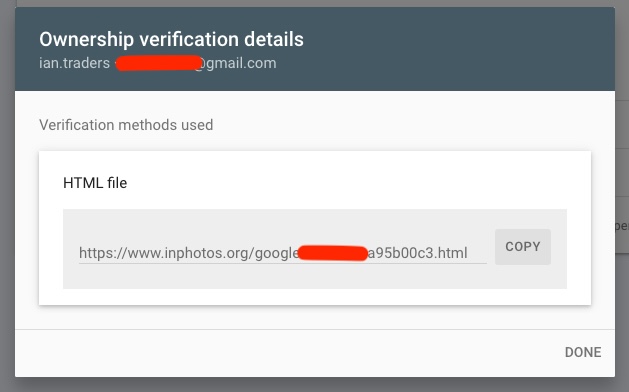
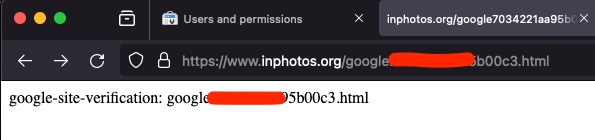
He had been allocated the IP address of my old server. He saw that www.inphotos.org still pointed at it and asked Google to validate his ownership by uploading a HTML file to his server.

A screenshot from the Google search console showing the ownership verification details of the attacker who created a validated account on www.inphotos.org
A screenshot of my browser showing the validation file the attacker used to gain access to the search console for www.inphotos.org

Yikes! Quick as I could, I checked the DNS and found that yes, www.inphotos.org was still pointing at my old IP address! Damn.

Fixing it was fairly easy, I thought. I removed that user, and removed the www hostname.

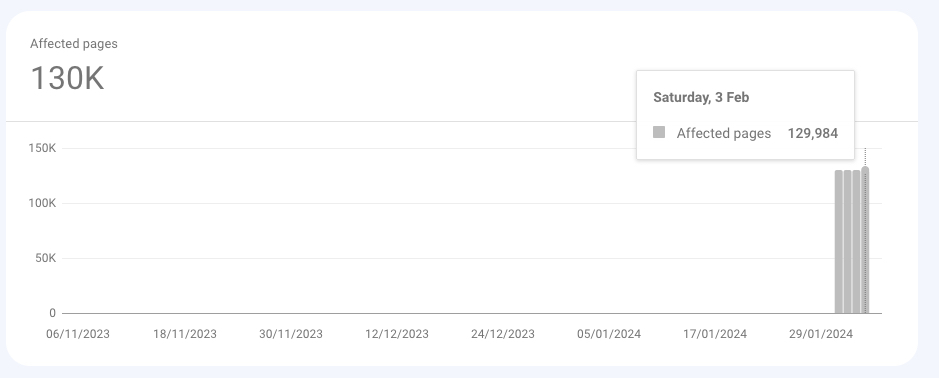
However, Ian had one more trick up his sleeve. He had put a sitemap on www.inphotos.org, and it led to 129,864 fake links that Google could not index.

Screenshot of the "page indexing problems" chart from Google Search Console showing 129,984 problematic pages since last Wednesday.

It looks like he was setting up a malware server with the names of books on each page:

/c/pdf/upload?PUB=new_apostolic_church_hymn_collection_songs&blackhole=017
/c/pub/go?EPUB=hawker_battery_charging_instruction_manual&daily=034
/c/pub/list?BOOK=a_shade_of_vampire_7_a_break_of_day&dua=047
/c/pub/list?EPUB=ib_vietnamese_past_paper_2013&monument=094
/c/pub/list?PDF=lowepro_user_manual&codevember=001
/c/pub/list?PDF=suzuki_swift_owners_manual_2009&bubbley=087
/c/pub/upload?PUB=caravaggio_ediz_illustrata&particles=015
/c/pub/upload?PUB=mi5_and_me_a_coronet_among_the_spooks&sassy=021
/c/pub/url?BOOK=radiation_detection_and_measurement_solutions_manual&delapan=081
/c/pub/visit?EBOOK=mercruiser_hp_engine_manual&daily=009
/d/book/data?PUB=gossie_and_gertie_gossie_friends&particle=016
/d/book/file?DOC=engine_repair_manual_for_f550&dribbble=005

I fixed those with some simple mod_rewrite rules, so visiting those URLs should take you back to the homepage. Google is validating my fix now. Besides, that fake sitemap is gone, so I expect Google to forget about them soon, I hope.

So, when you’re moving websites around, make sure you update all the DNS records for your sites. I may not have noticed for a good while if he had set up the redirect scripts on his server correctly and didn’t go into the search console.

Bye bye Pebble!

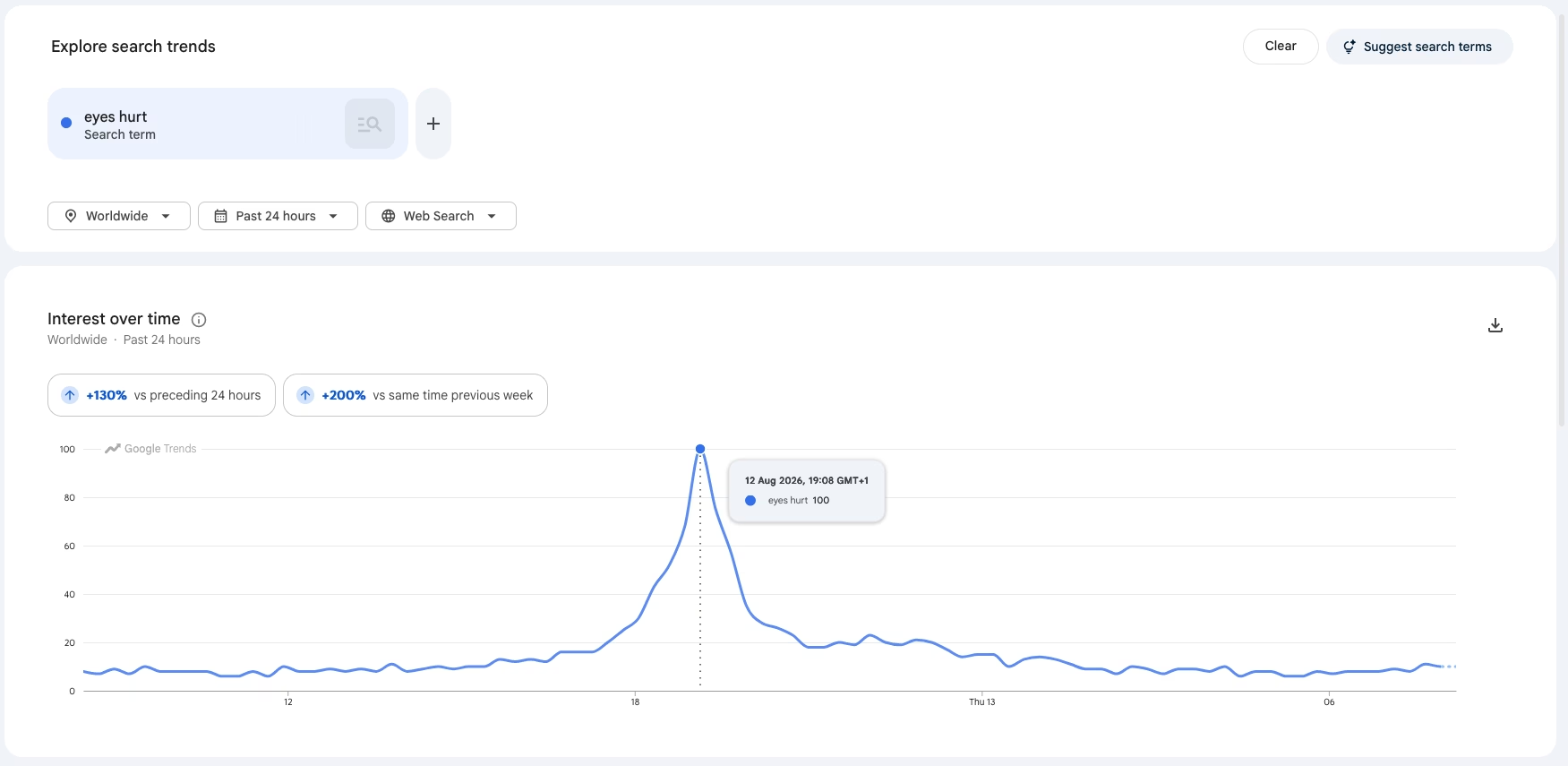
Pebble, aka t2.social, was a short lived social network like Twitter. Last week they sent out emails to all their users to tell them that the site was shutting down on November 1st. I first came across it thanks to Topgold, but it was always a small site. In a crowded section of the Internet, another Twitter clone would have a tough time competing.

I hadn’t posted much there and wasn’t going to download my data, but this post by Eugen Rochko caught my attention and reminded me to go visit.

If #Pebble was part of the social web, they would have had a network of 1.8M active users, not 1,000, and perhaps wouldn’t have had to shut down.

Eugen Rochko

Maybe it would have survived, but it would have had to be extra special and offer some compelling features to compete with all the “free” Fediverse servers out there. The Activity Pub plugin for WordPress recently hit version 1.0 and was launched on WordPress.com too, so potentially millions of new Fediverse sites are coming online, all of which are on more mature software.