
Jason's Custom CSS for WordPress MU

Many moons ago, Jason’s Customciser was released onto an unsuspecting WPMU forum. It’s a small plugin that allowed one to change the value of some of the CSS elements in a theme’s style sheet.

Before you get too excited, it’s in rather a raw format, can cause problems and needs work to be usable. The original plugin used some PHP5 conventions and functions which limited the audience who could use it. I’m posting this because people are wondering where the PHP4 port I wrote disappeared to. It’s still here, but please link to this post instead of linking to the zip file.

Download Jason’s Customciser-doc – this plugin needs a lot of work to be usable. I’m not joking!

If you’re wondering, this is not the same plugin that is used on WordPress.com to allow editing of CSS files. I just wonder why someone doesn’t write a simple templating system in Smarty or something that loads through the traditional WordPress theme files? It’s a no-brainer. It may not be the most efficient way of doing it, but it’s one simple way.
Brians Latest Comments Cached

After the success I had with Ultimate Tag Warrior I turned my eye to another popular WordPress plugin that I use: Brian’s Latest Comments.

This plugin lists the latest comments on your blog and I wanted to squeeze every bit of performance out of my server so I guessed that caching the output of the plugin would save several queries for every page generation. Comments are cached for an hour. The cache isn’t invalidated by a new comment so don’t worry if the comments list doesn’t update immediately after a comment is made.

Install

I used the same cache directory that WP Cache 2.0 uses, wp-content/cache/. You’ll have to create that directory and make sure the webserver can write to it. The simplest way of doing that is by running the command chmod 777 cache. Download the file below and copy it into your plugins directory. If you’ve never installed the original plugin you’ll need to download it and read the install.txt to find out how to use the plugin.

Download

brianslatestcomments.txt – rename to .php and copy into your plugins directory.

The Schneider Interview

Robert Scoble talks to Toni Schneider, the CEO of Automattic in this video interview about WordPress.com, Automattic and lots of other stuff. I’ve only watched the first 10 minutes, Toni talks about some of the features of WordPress.com – paid features, making money, adverts, fighting splogs and more.

Do you like Akismet? That’s covered too. Make sure you set aside some time today to watch this interview if you use WordPress!

Ping Google Too!

Google announced that they will accept pings to their blogsearch service. Hopefully Pingomatic will support it soon so you don’t need to update your “Update Services” in WordPress. I’d say Matt’s sleeping off the jet lag from his trip to Vienna but it’ll probably be there in a few hours!

If you can’t wait, add “http://blogsearch.google.com/ping/RPC2” to the “Update Services” in your WordPress Dashboard under Options->Writing.

Why is this good? By pinging Google you can tell them that you have updated your blog. That will get your post into the Google Blog Search index that much faster.

Update! Matt has already updated Pingomatic. WordPress users can rest easy that their posts will show up quickly on Google Blog Search now!

Killing off PHP

Do you know why Apache processes get stuck and stop responding when serving pages on a WordPress site?

I’ve seen this happen here and on my previous host on a regular basis. I don’t know what happens. It can’t be a PHP script gone into an infinite loop because the normal Apache timeout should kill it. It’s not MySQL as a quick inspection of the process list usually shows it’s empty.

It could be plugins, some of them haven’t been written to the high standards that is expected in WordPress core. It could be some strange interaction between plugins and core code and memory limits and PHP extensions.

Whatever causes it, this will fix it. It’s brutal, it’s crude, but it’ll stop the load average going up on your box and it will ensure that every Apache child process is listening and responding. Add this to the crontab of your nobody or www-data user. Pick whichever user runs the webserver because you want to limit the damage in case something bad happens and the command malfunctions!
*/10 * * * * ps auxw|grep apache2| awk '$10 !~ /0:00/ {print $2":"$10}'|awk -F ':' '$2 !~ 0 {print $1}'|xargs kill -9 2> /dev/null
What this does is it uses the ps, grep, and awk tools to find processes that are using anything more than the minimum CPU time. It is very crude, but it works.

If you use Litespeed, then replace “apache2” with “lsphp”. I have found that this is very necessary as those processes get stuck quite often, especially in low memory situations.

I'll be there too

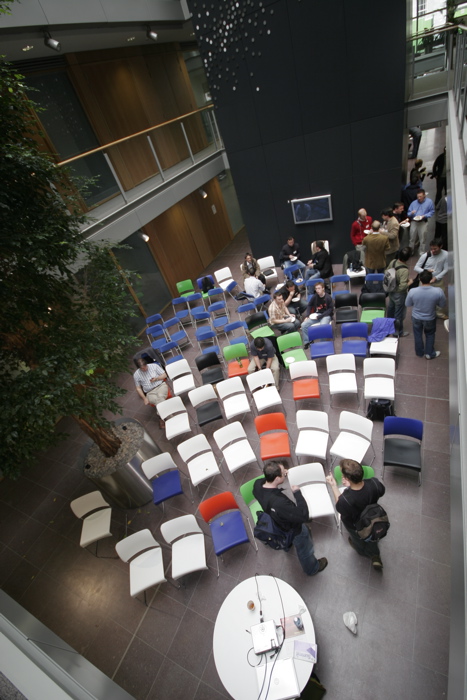
See you tomorrow at BarCamp Ireland! There’s going to be a big crowd and great speakers. Tom will be there and he has volunteered to speak twice. I won’t be talking, but come up to me and ask me about WordPress MU and wordpress.com, I’ll be the one wearing the WordPress tshirt!

I see that the wiki has been updated with the following message:

All attendees, whether you have signed up already or not, please send your contact email address to barcampireland at gmail dot com. Thanks.

It’s a public wiki and I haven’t seen the same message on the BarCamp Ireland Blog so maybe hold off sending that email until there’s a similar announcement tomorrow. Me paranoid? Never!

While I’m here, blogging at 23:30, this will be of interest to the rest of Automattic and anyone else who works at home – Myths About Working From Home. You never really leave the job do you? (via)

Simple UTW Performance Boost

The Ultimate Tag Warrior plugin for WordPress is a great plugin. It does the job of handling tags rather well. I’ve noticed many hits from Google searches that go to a tag page instead of a category page of the same name so there’s something there that Google likes. I love it! Christine Davis did a super job filling a niche with the “ultimate” tool that anyone could want.
Unfortunately what isn’t so good is what goes on behind the scenes:

  1. UTW ignores your default category when saving your posts. Why ignore the default category when that is probably the subject you care most about? On my photoblog, In Photos.org my default category is “photos” and I certainly want people to find my images.
  2. UTW does an expensive SQL JOIN when it can’t find any tags for a post. Remember what I said about the default category? If you primarily post to your default category then every time someone sends you a request your server will get bogged down trying to find a non-existant record. It’s really bad when you have several years of posts and thousands of records in there.
  3. If you’re not going to use the fancy AJAX tag search then don’t load the associated Javascript. It saves an extra request on the first page load, and the browser doesn’t have to process the file.

Here is a patch that addresses those issues. It needs to be edited before you use it because you have to add a default tag. Here’s how to install it:

  1. Decide on a useful default tag. For this blog I use “holy-shmoly”. Open your WordPress database with phpmyadmin and look in wp_post2tag (the name may be different depending on your prefix). If you have already used the tag then find it and note down the tag_id of that tag. Otherwise, add your tag and note the new tag_id.
  2. Edit utw-patch.diff and look for the strings DEFAULT_TAG_NAME and DEFAULT_TAG_ID and replace with the name and id you picked out in the last step.
  3. To apply the patch, copy it into your wp-content/plugins/UltimateTagWarrior/ directory and run the following command.

    patch -p0 < utw-patch.diff

  4. If you don’t have access to patch, then open utw-patch.diff in your favourite editor and make as much sense of it as you can. It’s not hard once you have the source files open as well.

I’ve noticed a significant drop in server spikes since I made those changes. It takes a while for the default tag to be populated as it’s done when posts are visited but once it’s finished you should see a marked improvement. Oh, and install WP-Cache 2.0 as well. That’ll help you ride out the occasional digg!

Download the patch: utw-patch.diff for UTW 3.14159 for WordPress 2.0

By request, here are the modified files. Rename .txt to .php and copy them into your plugins/UltimateTagWarrior/ directory, overwrite the originals:

  1. ultimate-tag-warrior-actions-wordpress2.txt
  2. ultimate-tag-warrior-actions.txt
  3. ultimate-tag-warrior-core.txt

Dinner in Cork, October 17th

Pat Phelan is organising a dinner on the night of October 17th for anyone interested. Shel Israel and Rick Segal will be there so it should be an interesting and lively night. Venue is the Taste of Thairland, Bridge St. Cork at 8pm.

Shel Israel visited Cork last June to attend the Web 2.0 conference and it’s great to see him back so soon!