I’ve just released Media Picker for Immich on the WordPress.org plugin directory. It connects WordPress to a self-hosted Immich server so you can browse, search, and insert your photos and videos into posts without copying files around.
Immich
I run Immich at home. It’s where my photos now live. They’re organised, searchable, with facial recognition and AI search. My WordPress uploads directory is where photos used to go, and the two never talked to each other. This plugin fixes that.
How it works
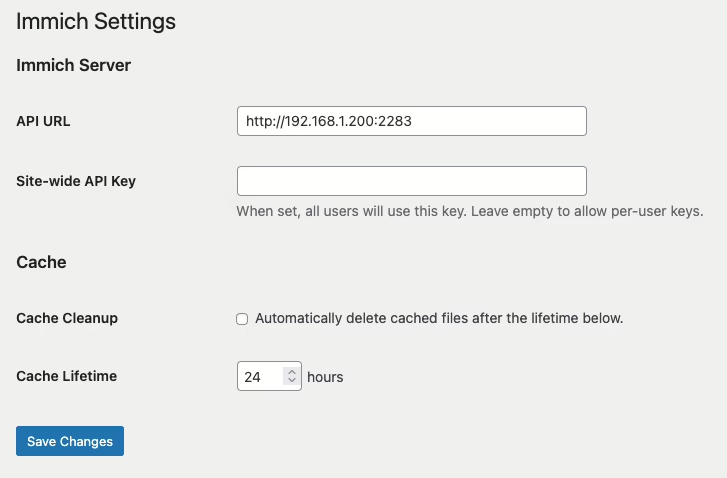
Point the plugin at your Immich server and give it an API key. You can set a site-wide key or let each user configure their own to connect to their own Immich account.
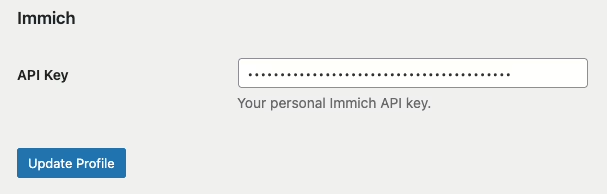
If the site-wide key is blank, each user adds their own key on their profile page. All Immich API calls happen server-side.
Two ways to add media
Once configured, an Immich tab appears in two places.
The first is the Media Library grid. Switch to the Immich view and you can search, filter by person, and either Use or Copy assets into WordPress.
Use creates a virtual attachment. Nothing is copied; WordPress proxies the media from Immich on demand and caches it locally on first request. Your uploads directory stays lean.
Copy downloads the original file into wp-content/uploads/ as a normal attachment.
The same tab shows up in the “Select or Upload Media” dialog inside the post editor, so you can pull an Immich photo straight into a post without leaving the editor.
A few details worth mentioning
Videos work too. Proxied videos stream with seek support.
Lightbox. Proxied Immich images in posts open a full-resolution lightbox on click.
Local cache. Proxied media is cached to wp-content/cache/immich/ after the first fetch. Optional cleanup with a configurable lifetime.
Your server stays private. Immich only needs to be reachable from WordPress — not from the public internet. Visitors never connect to Immich directly.
When images are copied over, virtually or otherwise, you can insert them into a post like any other image, which also includes adding them to galleries in posts.
Get it
Install it from the WordPress plugin directory or search for “media picker for Immich” in the plugins page in WordPress.
Feedback and bug reports are welcome. Development is done on GitHub here.
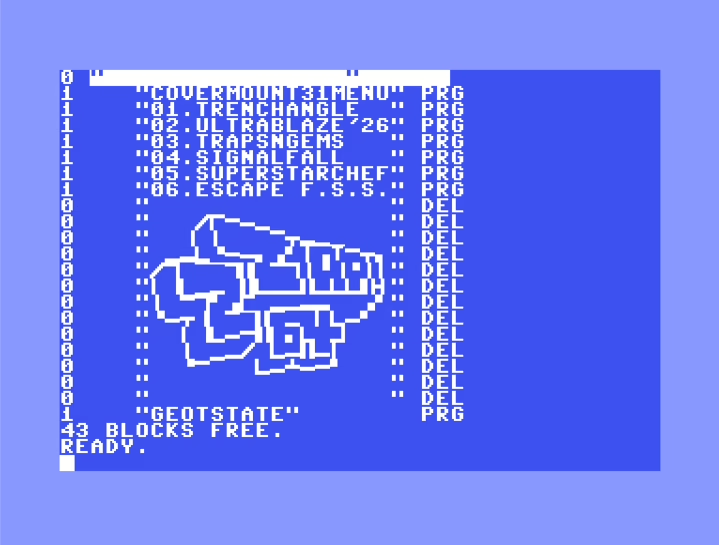
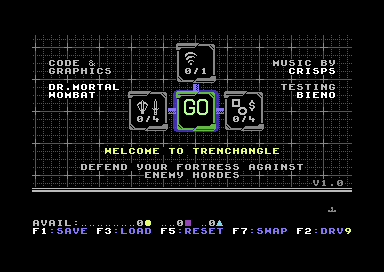
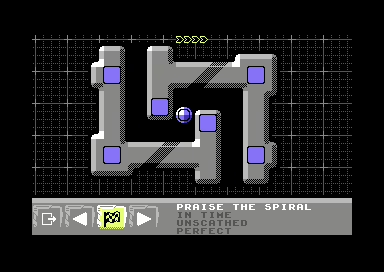
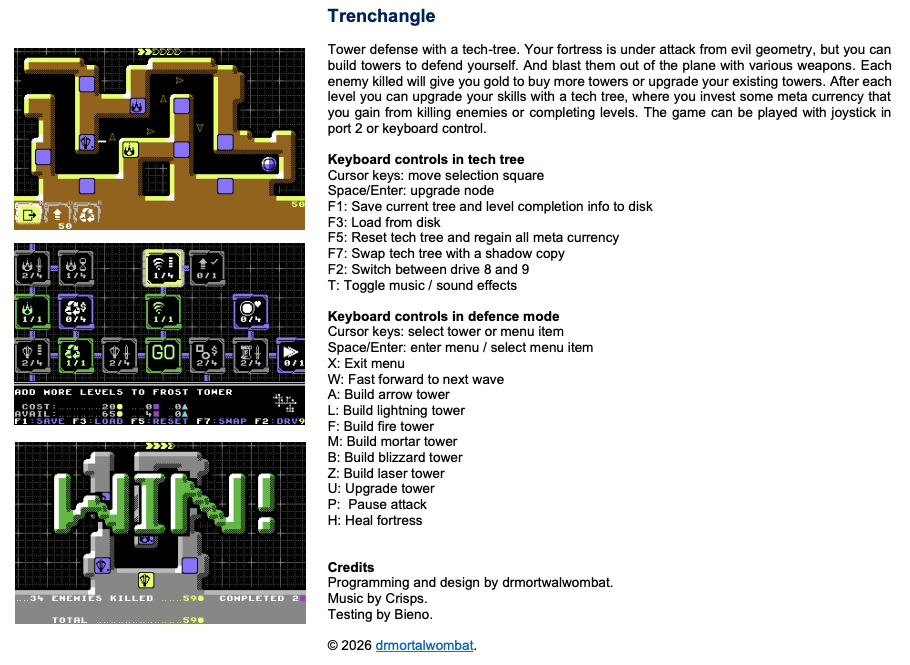
I picked up Issue 31 of Zzap! 64 yesterday evening and had a quick look at the covermount disk. There’s a few really good-looking games there but one that caught my eye was Trenchangle, a tower defense game!
I’m a sucker for the genre, but it took me several tries to even finish level one. I should have added arrows to the arrow tower instead of expanding the tech tree available. Lesson learned.
The game doesn’t require a joystick, and it’s possibly easier to play in an emulator because you can use the cursor keys to navigate. I couldn’t see anywhere to redefine keys so that joystick might make it easier to play on a real machine.
Game progress can be saved and reset, which means I’ll definitely be coming back to this game for quick plays. It looks like it saves in a file called “GEOTSTATE”, which wasn’t there when I first opened the D64 file so it can be deleted.
There is a cracked and trained copy on CSDB, but this is a brand new C64 game. Support the developer and pay what you want on their itch.io page.
This ancient post about using Cyanogenmod on the Galaxy S2 has been reported for copyright infringement to Google. Along with dozens of porn sites. I didn’t know Cyanogenmod was just a hot topic!
Anyway, I’m not going to do anything about it, but I just wanted to mark the occasion.
DolphinDOS 2 is a replacement ROM for the Commodore 64 and its 1541 floppy disk drive that dramatically speeds up disk access by using a parallel cable between the two machines. Instead of the glacial CBM serial bus, data transfers happen byte-at-a-time over an 8-bit parallel port, making loads roughly 25x faster. I’ve been maintaining a custom version for myself. It changes the keys used to list the contents of disks and load programmes to match the Action Replay that I’m more familiar with.
While I blogged about buying a real Commodore 64 in 2019, I didn’t post about buying an Ultimate 64 a few months later. The version I have is the non-Elite version but it’s quite a wonderful device. Unfortunately, life got in the way and the machine lay mostly unused for years. I must make a post about that little beauty one of these days. Anyway …
I just released version 1.2 of my DolphinDOS 2 project, and there’s a bug fix for a seemingly rare problem: a bug in the original DolphinDOS 2 ROM from the late 1980s that almost certainly never manifested on real hardware. It seems so rare I’ve never read of anyone complaining about it on any C64-related Facebook group until this bug report surfaced. The parallel port would randomly be switched off when a C64 Ultimate was switched on!
It was never my intention to go diving into the assembly of this project. I just wanted to change some keys around, but I had Claude Code look at it, with the relevant sections of the C64 Programmer’s Guide at hand for reference. I honestly don’t have time to fix a rare bug like this, but Claude did. Here’s what it said about the bug. I would be interested in hearing what C64 developers who have looked at the RAM in a real 1541 have to say.
The 1541 drive ROM uses four flag bytes at $6000–$6003 in drive RAM to control DolphinDOS features: R (read), F (fast format), V (verify), and P (parallel port). A value of $12 means disabled; anything else means enabled. The original ROM never initialises these flags at boot. It relies on whatever happens to be in RAM when the drive powers on.
On a real 1541 with SRAM, that RAM almost always powers up as zeroes — so $6003 is never $12, and the parallel port is always enabled. It just works accidentally.
On the C64 Ultimate, the emulated 1541 RAM isn’t zeroed so predictably. Sometimes $6003 powers up containing $12, and the parallel port silently disables itself. A user reported that their C64 Ultimate was randomly booting with the parallel port off. That’s something that would never happen on the original hardware.
The fix was simple enough, set the important memory locations to zero, although it took a couple of tries before it worked.
The fix adds a small init routine at the end of the 1541 ROM’s free space that zeroes $6000–$6003 and sets the track interleave at $6023 during the drive’s boot sequence. The tricky part was that the 1541 ROM has a checksum that the drive verifies on startup. If it doesn’t match, the drive refuses to boot. The new jump target was chosen so its address bytes sum to the same value as the original, keeping the checksum valid without needing a separate compensation byte.
Claude Code did the analysis and wrote the patch. I pointed it at the disassembly and the bug report, and it identified the uninitialised RAM as the root cause, found free space in the ROM, worked out the checksum constraint, and produced a working fix. The reporter tested it on their C64 Ultimate and confirmed it resolved the issue. I tested it in Vice and on my Ultimate64.
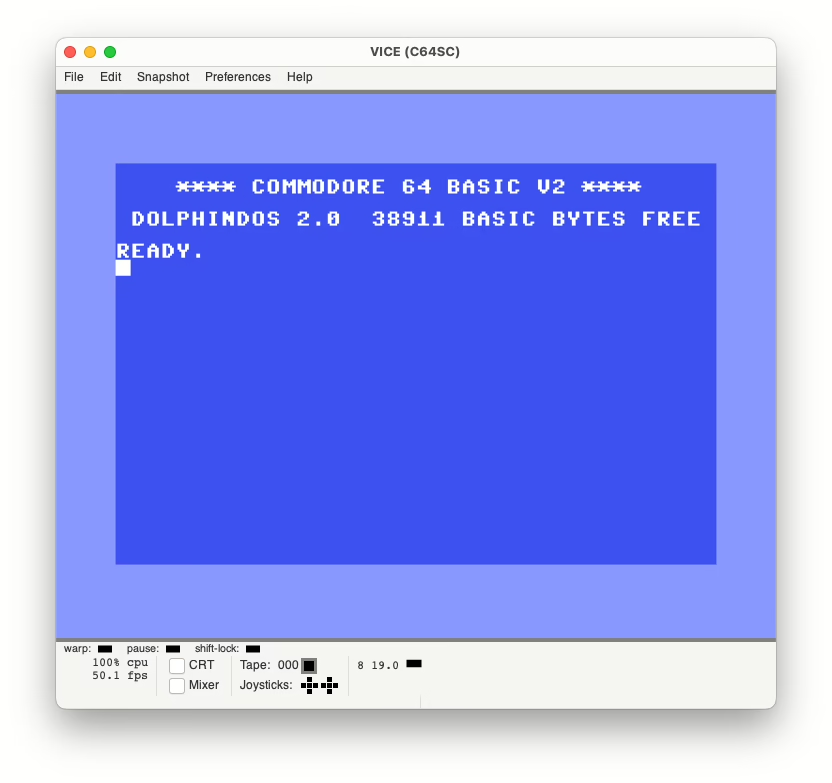
Tapping F1 now auto-runs after loading: previously F1 loaded the first program from disk but left you at the READY prompt. Now it executes RUN automatically.
Cursor colour changed from cyan to white matching the look of the Action Replay I’m used to.
kernal.asm is now compilable. I converted it to ACME assembler format, so you can modify and rebuild the C64 kernal ROM from source.
Install instructions updated for the latest Ultimate64 firmware (which seems to match the C64 Ultimate instructions I found online).
The release is on GitHub. If you’re running DolphinDOS 2 on an Ultimate64 or C64 Ultimate, it’s worth updating.
You can also find the original kernal files here, along with different versions of them. My 1541.rom is based on the c1541-20-6.rom found there. My kernal.rom is based on kernal-20-2.rom. There is a third revision of that kernal rom too. I asked Claude to tell me what was different between them:
kernal-20-2 vs kernal-20-3: What’s different
The code is functionally almost identical. The 911 byte differences break down into a few categories:
The version byte at $FF80 v2: $03 v3: $00 Confusingly, the “revision 2” ROM has version byte $03 and “revision 3” has $00. The filenames may not reflect the actual revision order — kernal-20-3 might actually be an earlier or alternate build.
Code insertion at $EF5C: STOP key check (+5 bytes) The biggest functional difference. At the start of the parallel LOAD path, v3 inserts: EF5C JSR $FFE1 ; STOP - check RUN/STOP key EF5F BNE $EF5C ; loop if not pressed EF61 BEQ $EF2E ; if pressed, abort v2 has no STOP key check here — it jumps straight into the transfer. This 3-instruction insertion (5 bytes) shifts all the code that follows by 5 bytes, which accounts for the majority of the single-byte differences (they’re all branch targets and jump addresses adjusted by +5 or +6 to compensate for the shift).
Parallel handshake: SEI added at $F841 (+1 byte) v3 adds SEI (disable interrupts) at the entry to the parallel handshake routine. v2 doesn’t disable interrupts. This shifts the code in that block by 1 byte and cascades into further address adjustments.
Parallel transfer timeout: timer-based vs loop-based ($F910–$F968) This is the most interesting technical difference. Both ROMs have a timeout when waiting for the drive to respond during parallel detection, but they implement it differently: v2 (loop-based): F92E LDX #$13 ; outer counter F932 LDA $DD0D ; check CIA2 interrupt flags F935 AND #$10 ; FLAG pin set? F937 BNE $F948 ; yes → drive responded F939 DEX ; no → count down F93A BNE $F932 F93C DEC $A5 ; nested loop F93E BNE $F932 Uses a nested DEX/DEC loop (~5000 iterations) as a timeout.
v3 (CIA timer-based): F931 LDA #$FF F933 STA $DC07 ; Timer B high byte = $FF F936 LDA #$19 F938 STA $DC0F ; Start timer B, one-shot F93B LDA $DD0D ; check FLAG pin F93E AND #$10 F940 BNE $F950 ; drive responded F942 LDA $DC06 ; read timer low byte F945 CMP $DC06 ; compare with itself (has it changed?) F948 BNE $F93B ; timer still running → keep waiting Uses CIA1 Timer B for a hardware-timed timeout. More precise and CPU-independent.
Parallel fallback path: error handling ($F88B) v2: JSR $EE85 → falls into standard IEC byte receive v3: LDA #$00; JMP $EE16 → explicitly loads zero and jumps to a different IEC entry point
Serial LOAD: error recovery ($EFF1) v2: JMP $EFCF — unconditional jump to byte receive v3: BCS $EFD4 — conditional branch on carry, only retries if carry set
Data table pointer at $F0F1 v2: BIT $DD0D (2C 0D DD) v3: STX $DC0C (8E 0C DC) Different CIA register access — v3 writes to the serial port register rather than reading the interrupt flags. This changes how the timer/shift register state is managed after a transfer.
Jump table entries ($F8B1–$F8C9) Several address entries in what appears to be a function pointer table are shifted by +6 bytes, consistent with the cumulative code insertion offsets.
Summary
Change
v2 (your base)
v3
STOP key during parallel LOAD
No check
Polls STOP key
Interrupt disable on handshake
No SEI
SEI at entry
Parallel detect timeout
Software loop
CIA Timer B
Error recovery on serial fallback
Unconditional retry
Conditional on carry
Version byte $FF80
$03
$00
v3 appears to be a more defensive build — it adds interrupt protection, hardware-timed timeouts, and a STOP key escape during parallel transfers. These are the kinds of changes you’d make after encountering real-world reliability issues on certain hardware configurations.
Whether v3 is “better” depends on context. The CIA timer approach is more robust, but the STOP key polling loop at $EF5C is a tight busy-wait that could introduce latency. For the Ultimate64’s emulated parallel port, which is inherently reliable, v2’s simpler approach is probably fine.
Looks like version 2 of the 1541 kernal rom is fine for our use case.
I’m using Claude Code in my work at Automattic all the time. It’s been a huge help in getting through bug fixes and adding new features to the various projects I’m working on. I’ll be posting more about WordPress related goodness soon. Stay tuned.
Well, I have to hand it to Cork City Council. After years of roadworks, diversions, temporary traffic lights, and that perpetual stretch of Patrick Street that looked like a minor archaeological dig, they’ve finally revealed the masterplan and it’s magnificent. They’ve ripped out the tarmac entirely and restored the old channels of the River Lee that ran beneath the city centre for the past 240 years. St. Patrick Street is now navigable by motorboat, and Washington Street has a functioning canal service complete with what appears to be a narrowboat called the Oriel running a shuttle to the courthouse.
Parking signs have been replaced by mooring cleats. The 220 bus route now terminates at a floating pontoon outside Penneys. I’m told that Eason’s is doing a roaring trade in waterproof editions, and a new Dublin Bikes-style scheme called “Cork Canoes” launches next week, but knowing the council, the docking stations won’t be ready for another while yet.
In fairness, they’ve finally earned the title. Cork: the Venice of the North. Truly, the real capital at last.
Happy April Fools’ Day. These images were obviously generated using AI. Cork City Council has not, to my knowledge, flooded the city, but after some winters, nature has a good go at it herself.
Close
Ad-blocker not detected
Consider installing a browser extension that blocks ads and other malicious scripts in your browser to protect your privacy and security. Here are a few options.
uBlock Origin is a free, open source, ad blocker for your browser.
Use pi-hole if you have a spare Raspberry Pi on your network.
Set the private DNS settings on your phone to dns.adguard.com to block adverts and trackers.