Humbly going Android

The last Humble Bundle added support for Android games and the latest bundle does the same with even more games!

I already had a number of the games on pc and to be honest this bundle isn’t the strongest line up of games ever but I bought it for Swords and Soldiers as it’s a fun game. The others were a nice bonus for me.

Also released recently is their own app for managing downloads. It works well enough but downloads using your phone’s browser and uses the system installer in the same way that the Amazon Appstore does. Unfortunately apk files are left in your download directory after install so clear that out if you need the space.

While on that topic, go into Settings->Applications->Manage Applications and move some of those games to the SD card. Swords and Soldiers and Cogs were both around 150MB each!

Happy gaming!

Killer Bean on Android

Remember Killer Bean? He now features in an 85 minute long film but I remember watching his hilarious and entertaining online shorts years ago so I was excited to see a Killer Bean game on Android. It’s free too!

I suspect it’s got in-app purchases and I’ve only played a few minutes of it. So far it’s a slick looking 2D platform shooter and controls aren’t too bad. (via)

Install Ubuntu on your Android Phone

With this app you can install Ubuntu on your Android phone. It has to be rooted obviously and it’s definitely not this.

It looks like this installs Ubuntu in the same way as in the video above. It’s an app that runs in the background and you use a VNC client to connect to it. You could of course use VNC on a local desktop machine to connect to it too making it more useful but I think this is more a curiosity for those who like to tinker with their phones …

Pity he couldn’t get WordPress running on that Ubuntu install. That would have been fun to see!

SSH Socks Proxy for Android Phones

Android has had VPN support for donkey’s years but I could never get it working. I tried pptpd and xl2tpd but pptpd didn’t work (and has security holes) or the configuration is daunting and lengthy when all I want is a simple proxy.

There’s also HTTP proxy support built into Android. It’s exposed in Samsung and other ROMs at Settings->Wireless and Network->Wi-Fi Settings, Advanced. Apparently this app sets things up correctly too. I’m not sure if it’ll do authentication however unless you add the username:password in the hostname. I also don’t want to install Squid on my public internet server!

So, the holy grail of proxying would be doing so through ssh. Nothing else to install on my server and I get an encrypted tunnel through the internet and out of Ireland which might be a good thing to protect my privacy from the prying eyes of the Irish Government. A far more mundane reason is the security of my data from others on a public wifi network. (Aside, on what will the record companies blame the falling numbers of CDs sold when the Irish version of SOPA is passed?)

The good news is that you can now create an ssh tunnel from your Android device. The bad news is that it has to be rooted to make the most of it. Go grab the SSH Tunnel app and you’ll be sending data through your remote host in no time. There’s also a beta version that uses an OpenSSH native binary rather than a Java implementation. I haven’t tried that yet, the stable version worked fine for me.

You can stream Netflix through it, and browse the net, post to your blog or whatever else takes your fancy. All through a secure tunnel to a remote server.

In case you’re interested, it’s simplicity itself to do the same thing on Linux or Mac computers using the installed ssh client. On Windows just use Putty!

Kids Place Android Parental Lock

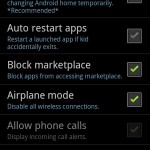
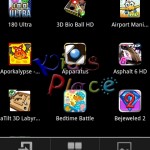
My new favourite app is Kids Place. It’s an application launcher for Android that only allows access to the apps you want. The parental lock is protected by a 4 digit PIN but the launcher can be disabled by rebooting the phone.

A launcher app, with child lock, for Kids to protect your personal data & apps.
Creates a safe area on you device for kids. Child lock protects your personal information when kids are using your phone or tablet by restricting them to apps you approve

My son loves playing games on my phone and I usually put it into Airplane mode so he can’t go online accidentally but once in a while he’ll move the icons around or make new folders. Luckily he never deleted any contacts or messages but with this app I don’t have to worry any more. Parents, go get this app if you have an Android phone!

Oh look! There’s Jupiter!

My wife called me out to the back garden tonight to see the bright object in the sky near the moon. She thought I might know what it was you see. I, uh, didn’t. I thought it might be Mars because of the colour but I knew how to find out! Google Sky Map to the rescue!

I quickly installed the app on my phone, pointed the device at the moon and hey presto! Instant astronomer! Ok, maybe not but it’s still a very cool app. The last time I tried it I found the map was a few degrees off which might have been something to do with the GPS on the original SGS. On the SGS II however it was accurate and a pleasure to use.

Thanks Google!