Stats widgets used to be all the rage twenty years ago in the Linux world when people would theme them with extravagant graphics as part of a window manager I no longer remember.
The irony was, unless you had a reasonably powerful machine your desktop was slightly slowed down by displaying stats on it continuously. It wasn’t much, but if you had a bunch of Netscape windows open at the same time the RAM and swap stats would invariably end up red.
I guess people still use them as I read someone recommended iStat Menus a week or two ago and I installed it. Yesterday I noticed the “15 days left warning” and remembered reading this thread on replacing paid macOS apps with free & open-source alternatives.
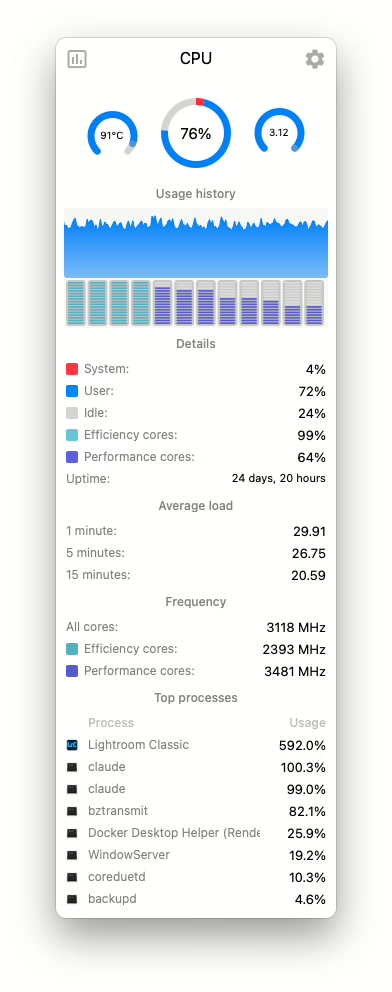
The alternative here is Stats, and the CPU display is shown in the screenshot here.
Install it with this command:
brew install --cask stats
You can see Lightroom Classic converting a bunch of huge ARW files to lossy DNG, but also that, while idling, Claude Code really likes to trounce the CPU. Ouch.