mfunc in WP Super Cache 1.4 and beyond

WP Super Cache is a full page caching plugin for WordPress. It creates static pages that are served quickly by the web server. Sometimes however, users still want parts of their pages to remain dynamic and be non static. That’s where mfunc, mclude and dynamic-cached-content came in.

Security

Unfortunately it was reported recently that remote visitors to sites using the plugin could execute any code they like by simply leaving a comment containing the right mfunc code. These functions are now disabled by default, and a filter removes harmful code from comments but if enabled they pose a security risk. I considered adding a security code to the mfunc tag but unfortunately the best way of dealing with this problem is to replace it completely with something different. The next release of the plugin will do away with mfunc, mclude and dynamic-cached-content entirely.

The new dynamic cache system

The development version of WP Super Cache has already been updated with a new filter based system. It uses a cacheaction filter called “wpsc_cachedata”. This filter runs when a page is first cached and also when a cached page is subsequently served. It also runs when caching is disabled for known users, something that has always been broken when using mfunc.

Almost all the data that is displayed on your website will run through the cacheaction filter “wpsc_cachedata”. When a page is first cached, the data that is shown to the first visitor of that page goes through that filter. The second visitor gets a cached page and that page too goes through the filter. What this allows us to do is define a template tag (or more than one) that a function hooked on that filter can search for in the filtered data. It can replace that tag with some other text, usually derived from code that has to run on each request. The visitor is then shown the page with the replaced tag.

Example code

The readme.txt hasn’t been updated yet but an example plugin, dynamic-cache-test.php is included in WP Super Cache. It’s fairly simple but it’s documented so it should be easy enough to follow. A template tag is inserted at the bottom of the page using the wp_footer action, and a filter then replaces that tag with text and the current server time. That test plugin replaces mfunc code that would look like this, excluding the necessary code to hook on to wp_footer and print it.

<!--mfunc echo "<!-- Hello world at " . date( 'H:i:s' ) . " -->"; -->
<?php echo "<!-- Hello world at " . date( 'H:i:s' ) . " -->" ?>
<!--/mfunc-->

WP Super Cache has it’s own action hooks using add_cacheaction() and do_cacheaction(), and work like WordPress actions or filters. The reason the plugin needs those is because they are available before WordPress is loaded. They allow developers to hook into the plugin from the very start of the PHP process and modify how it works using plugins. Those plugins are usually copied into wp-super-cache/plugins/ but I encourage you to move that directory elsewhere because when WordPress updates the plugin it will delete any custom changes you make. The next time a new version of WP Super Cache comes out WordPress will delete the wp-super-cache folder, replacing it with the new update. In your wp-config.php set $wp_cache_plugins_dir to the location of the new plugins directory.

If you use this filter system in your own plugin for distribution do not ever define the template tag for the user. Let the user decide what it is or generate a random tag and save it somewhere. It’s important to keep the tag secret so visitors cannot trigger your function maliciously. It is however better than the remote user running any code they like as was the case with mfunc!

I hope to release a new version with this code late next week. If your plugin or site uses mfunc please download the development version on a test server and start the process of updating your code.
On the other hand, if you don’t want to update your mfunc tags you could try W3 Total Cache instead. It uses the mfunc tag with a secret code.

WP Super Cache 1.3.2

WP Super Cache is a full page caching plugin for WordPress that will speed up your website.

This is a security release and any users of the plugin should update as soon as possible. This release and the last 2 (1.3 and 1.3.1) address the following issues:

  • A visitor to a website using WP Super Cache can remotely execute code by way of a specially crafted comment left on the blog. The comment may even be moderated and it will still cause a problem. If you allow untrusted user content on your site through other means it should also be filtered in a similar way. See the function no_mfunc_in_comments for the existing filter. This will be mitigated in the next release by using a security keyword in the mfunc/mclude/dynamic-cached-content tag.
  • An XSS vulnerability was found in the plugins settings page of the plugin. This has been fixed as well.

The dynamic cached content features are now disabled by default as they should really have been a long time ago. This was announced in the Upgrade Notice of the previous release so hopefully site owners will be prepared for it. If you depend on this feature you can enable it again on the Advanced Settings page. I would encourage you to use Javascript instead for any dynamic features or use a short cache expiration time.

Support for the mobile theme in Jetpack has been added in this release by way of a helper plugin. If you enable this feature in Jetpack you should visit the Plugins tab of WP Super Cache and enable the Jetpack plugin there. Caching will be changed to PHP mode, and mobile device support enabled but you may have to manually remove the WP Super Cache mod_rewrite rules in the .htaccess at the root of your site.

I would like to thank WordPress.org user kisscsaby for finding the mfunc problem in WP Super Cache and W3 Total Cache and Frank Goossens for his help fixing it.

Edit: I should have stated this above. I did not know about the issue with mfunc until 3 weeks after kisscsaby posted it to a public forum. I don’t read every post on the support forum unfortunately and the user did not email me. I released version 1.3 within a day of hearing about the problem. Unfortunately the XSS vulnerability became known 24 hours after that requiring another release within 36 hours of the previous one. When it became clear that mfunc could be exploited still I released version 1.3.2

I’m leaning towards removing the mfunc/mclude/dynamic-cached-content feature completely. It’s only used by a tiny minority of users (who will be inconvenienced, sorry) but it’s dangerous code to have in the plugin.

Portals in the Sea

portals-in-the-sea

Garrettstown Beach in Co Cork boasts a number of attractions. Chief among them are the waves loved by surfers in one area and a long sandy beach next door.

There are also a few Ingress portals there and I managed to capture some of them. The two in the sea only have a couple of resonators and not the full complement of eight because I was standing at the bottom of the sea wall with my hand outstretched trying to reach them. After almost getting caught by a sudden wave I beat a hasty retreat.

2013-04-14-7438-m
When the tide goes out however I’ll be back!

Who gets your data after death?

I have to admit that filling in the inactive account settings for my Google account gave me the shivers. There’s not much that would stop me logging into my Google account for more than 3 months. It would have to be one of the following:

  • Trekking through a rainforest pursued by secret agents monitoring all radio communications.
  • Lost on a desert island with only 80’s computer equipment to keep me amused.
  • In a coma after a botched attack by terrorists who are hell bent on killing open source developers.
  • Dead.

None of the above are very appealing options but at least one is as inevitable as, err, taxes, so it must be faced.

I added a trusted contact and was then presented with a popup asking for a subject and email body. Writing that was unsettling but I hope more services do something similar. I’ve heard too many horror stories about Facebook accounts that have been frozen on the death of an account holder.

You can choose what data is or isn’t shared with a contact. Included is Latitude, which has tracked my whereabouts for the last 2 years and will continue to do so. It makes me wonder how my descendants will cope with the deluge of information. It may very well end up as an anonymous zip file on someone’s computer I guess.

The list won’t be frozen in time either. Do I add my siblings? What about my son when he’s older? What age? I should set a calendar reminder for his 18th birthday. I’ll have to warn those trusted contacts because Google sends an email and a text message when the account goes inactive. Like a letter from the grave.

Raiden, it’s not quite the same on Android..

I pumped insane numbers of 10p coins into the Raiden arcade machine twenty years ago. Over the years I’ve played the dire PC conversion in the late 90’s (argh, it used midi music) and played the arcade version a few times in MAME but the Android version holds up well against the arcade original. It’s a bunch of fun too and it’s part of the Humble Bundle now!

Oh yeah, it’s not quite the same on an Android device. It’s a hell of a lot cheaper and possibly easier. There’s no way I could move the ship around as quickly as I could by dragging a finger across the screen. Great stuff!

Cyanogenmod 10.1: the Jelly Bean update for my Samsung Galaxy S II

cyanogenmod

I’ve had a Samsung Galaxy S II since around August 2011, and while the S3 has of course tempted me the cost of the device and/or monthly commitment was too much. I’m hoping that the release of the S4 will see a price cut in the older phone! I also feel the SGS2 is a “good enough” phone for most of the things I want it to do so there was that too.

Meanwhile my S2 has been rooted for a long time but I was running an old version of Android, Ice Cream Sandwich. There’s supposed to be a galaxy s ii Jelly Bean update sooner or later but because of all the tinkering I’ve done to my phone any previous OTA update always fails. Meanwhile, installing Cyanogenmod 10.1 was almost as easy as following the instructions here.

The hardest bit was getting an updated ClockworkMod Recovery on there. In Windows, Heimdall refused to see the phone, or reported an error, “libusb error: -12” or “failed to initialize protocol” even after running the included zadiag.exe. I tried it in Linux too but had similar problems until in frustration I disconnected the phone and put the Macbook to sleep. When I tried it again 5 minutes later it worked and squirted a new CWM down into my phone!

With that in place my phone wouldn’t boot, if I didn’t go into Recovery mode it just showed a black screen. No matter as I had everything backed up with Carbon backup. I removed the SD card and copied the latest nightly firmware and gapps on there. Booted into Recovery, factory reset, flashed those zip files, did a dalvik clear just in case and rebooted into Jelly Bean, Android 4.2.2! Once I logged into Google it started downloading all my apps again and with Carbon I was able to restore the settings of all my apps.

Photosphere isn’t included in this rom but I found it here in a flashable zip. Here’s what it looks like when I used it on Patrick’s Street, Cork today. iOS has a similar functionality I guess as I’ve seen a few colleagues from working waving their iPhones around while at meetups! The camera on the SGS2 is frankly rubbish but Pixlr Express does a good job of making photos look a lot better.

How does it perform? Very well for the most part.

  • I noticed that if I tether my Nexus 7 with a wifi hotspot then I will sometimes have to bring up an Internet app on the phone to wake up the 3G connection.
  • I noticed two Maps processes going a bit loopy when GPS was disabled and I had launched Ingress. GPS is disabled now and the phone is fine. Odd.
  • As a result of restoring settings from Carbon backup, Greenify had a list of apps to hibernate but because I hadn’t run it interactively then it hadn’t been granted superuser privileges. My phone got really hot as I guess the app was trying to hibernate the Facebook app repeatedly. TouchPal kept closing too but clearing the cache fixed it. Those aren’t Android problems, just a side effect of the restore process and insufficient error trapping in the apps. I’ll contact the authors about those (admittedly obscure) issues.
  • Sometimes there’s an odd slowdown in the UI. Ingress was dog slow for about 30 seconds but then it righted itself and it’s definitely faster than ICS.

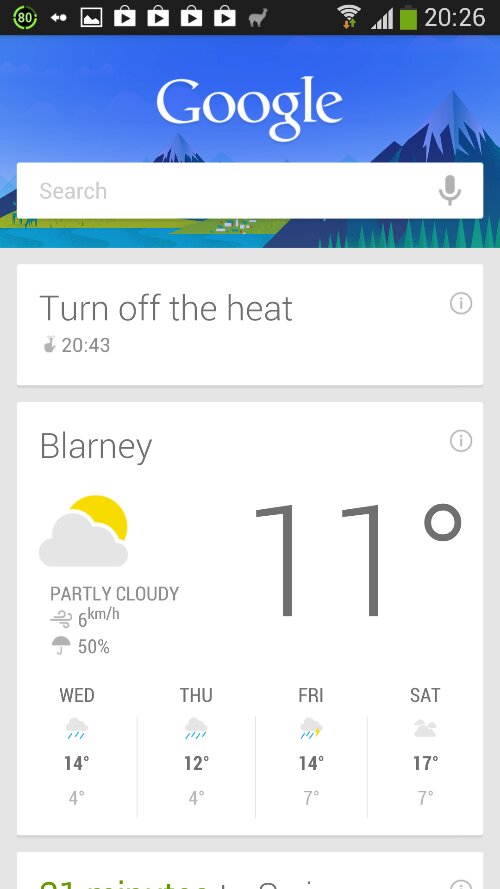
I love Google Now! I wish the monthly activity card displayed in Km instead of miles. I like the new mini settings but wish that GPS was there to save me having the Power widget on a secondary homescreen. Photosphere is pretty cool. I wish Chrome had browser extensions so that Lastpass could build support for it. I haven’t yet noticed any huge difference in battery consumption. I don’t care if the FM radio doesn’t work, I never used it. Podkicker and Tunein Radio take care of any audio. The Apollo music player is nice, but doesn’t play very nicely with MP3s that don’t have tags. I had to fix some rips I made recently of CDs as they were coming up as from Unknown Artist, even though the files were in artist/album directories. All the other MP3 players I tried did the same however.

CM 10.1 has an auto update feature that John reminded me of. I haven’t enabled it yet though. I need to do more research and find out how it works and whether it will clobber my app settings and data.

If you have an SGS2 you should definitely give Cyanogenmod 10.1 a spin. I remember the first time I upgraded my original SGS to CM7 and the problems it had with camera support but I didn’t have any similar problems this time. CM10.1 will give it a whole new lease of life!

Michael’s Rebel Control Field

24552811

longest-field I think Michael Collins would have been liked to see this. An Ingress Resistance control field all the way from his memorial statue in Clonakilty to two portals next to Blarney Castle.
It’s certainly the longest control field I’ve ever created, probably stretching 40-50km. Unfortunately it’s thin as the Blarney portals are fairly close to each other and I don’t have a key for the portal in Clonakilty so it’ll disappear in about a week.

Ingress has a really high attrition rate. Unless there are portals within walking distance of you (or you have loads of spare time) it’s a chore getting to them to hack or capture them. I’ve seen several Resistance players who were initially keen on the game suddenly disappear, never to be heard from again. Thankfully the Enlightened have two French lads who are really into the game so there are always loads of portals for me and a few others to attack. Now if only I had the time thing sorted out ..

Oooh, looks like I have an invite to hand out!

Extortion by Email Spam

Spammers are getting desperate. I received the following email a few days ago, which somehow got through Gmail’s spam filter:

From: “germes”
To: “donncha” <.....>
Subject: RE: Hello
Date: Sun, 24 Mar 2013 15:37:20 +0000

Hello You received this message because this is an email list for mass mailings. We analyze the list and remove a lot of email. pay you $ 2 or 2 euro, and we will remove it from the list of spam Email newsletters.

webMoney purse
Z180596051821
E943924283321

I presume they meant to say that I pay them to remove my email address from their mailing list rather than the other way around!

3 months free Backblaze cloud backup!

Argh, I just handed over $95 for 2 years worth of Backblaze cloud backup and now they’re offering 3 months free if you sign up through this link before March 31st! It’s to celebrate World Backup Day, something I’m all in favour of since backups saved the day in 2008 when an external drive died on me.

BTW, both those Backblaze links are affiliate links but I’m a happy customer and I’m currently backing up over 700GB of data to the cloud. 681GB of that is 13 years worth of photos! My upstream bandwidth is horrendous but I still managed to upload 50GB over the last 20 days. At this rate it’ll be a few months before everything is uploaded but the backup hasn’t really impacted on my day-to-day work. Websites and videos still download and display promptly which surprised me. Uploading anything from here usually makes everything else crawl. I told the backup client I wanted faster backups too!

backblaze-performance

It’s not all sunshine and roses though. The client has an exclusion list of directories so it’s easy to exclude directories you don’t want backed up. Sensibly, it doesn’t backup “Program Files” or other system directories by default. However, I’d rather have an include list because on this machine I really only care about my photos, some documents and my Thunderbird mail directory and I know where they live. It’s a small quibble and probably one I’ll soon forgive when my machine goes belly up and I’m desperately looking for a secure cert or the settings for some obscure program!

Backblaze Pod

Curious about where your data lives when it’s in the cloud? That’s a Backblaze Pod there, and it has a raw capacity of 135TB but this post goes into a lot of detail about it and how it’s made. This slightly tongue in cheek post then explains why you don’t want to do this at home!

So that's where all my photos are going
So that’s where all my photos are going

Further on the subject of backups, you should really listen to this episode of The Naked Scientists podcast. This interview with Leo Enticknap, University of Leeds deals with backups but also file formats that scares me. I hope the Canon CR2 raw format is durable enough that it can be read in a few decades, or I may consider converting those files to DNG (which is probably just as likely to be unreadable in the far future TBH).

Try Backblaze, they have a 15 day free trial (or if you’re reading this before March 31st, use this link to get 3 months free) where you can upload data and perform restores to see how well it works. It’s a reasonable price for peace of mind and convenience. My photo archive currently resides in 3 drives on 2 separate computers (using rsync, Samba, Synkron and cronjobs to sync daily) and that won’t change but having an offsite backup like this gives me some confidence in case some local disaster should happen!

So, sorry for the affiliate links but Backblaze is a great service and I hope I’ve made you at least consider duplicating your important files somewhere before it’s too late.