I moved on over to Fastmail

For many years, I hosted my email here on my own server, but it was far from ideal. I used Postfix to run the server. I forwarded the email to my Gmail account using Procmail recipes. I read my email on Gmail, and sent email from there too.

That worked most of the time, but if an email had any kind of domain protection such as DKIM or SPF then Gmail was likely to reject the email and unless I was looking at /var/log/mail.log I probably wouldn’t notice. To combat that, I left a copy of every email on this server. Once I knew that email from a domain could get through to Gmail, I added a Procmail rule that forwarded it without backing it up (hint: the vast majority of domains do not have this protection). I installed mutt and learned how to use that through an ssh connection to my server, and I read those emails in a text mode application like some sort of 90’s retro hacker man. Queue up the GIF, please..

I had Postgrey installed to weed out silly attempts at spamming me, and SpamAssassin to stop everything else. It did a good job until it didn’t, and let through too many spams. Various RBLs helped, until they shut down. Then Gmail got pissed and would reject my emails until I put in place Procmail rules to filter out persistent spammers. So, I got pretty good at Procmail too. 🙂

Anyway. After all that I couldn’t send an email from any of my domains without tricking my free Gmail account into accepting email from them, but not really doing it. The details are hazy, but I was able to send from an user@example.com address. A single one per domain. That wasn’t very useful.

So, this summer, I moved my email domains over to Fastmail. The domain hosting this blog hasn’t been moved over, but the email from this server gets sent through there. It works quite well too! I can even send email from any of my wildcard email addresses. It feels wild that I can do that!

There are pretty good filtering rules that let you do all sorts of things. You can even do regular expression matching, which is handy for wildcard addresses containing a specific string. One of my domains gets a TON of spam. I used it in years past to comment on blogs, sign up on various services, and ask for feedback on websites, so it’s been indexed to death by spammers. I still use it though, and with a prefix string, it’s still useful.

In Fastmail, go to Settings->Mail rules->Create rule and then click on “Switch to no-preview rules”. I was able to set up a rule there that matched my prefix string at my domain (for example: john..*@example.com) and labelled any matching emails the way I wanted.

I created another rule using “The spam score” “is at least” 5 (which puts in the spam folder) from that domain to mark those emails read, but that didn’t work. I’ll get in touch with support and ask them about it. It seems that if an email is spammy, then no rules run on it. Boo.

Setting up DKIM and SPF records was simple. I’m thrilled with it and paid up for the next year. Imagine that, paying for email! It’s so nice that Google doesn’t know when I’m going travelling, too.

I discovered today, while digging around in the filtering rules, they have a referral program. If you join up through this Fastmail link you’ll get 10% off your first year. I should have asked someone at work for their referral link. A few people there already use them!

Edit: I contacted support about marking spam as read, for one domain, and they replied overnight. There’s a default setting to enable spam detection. You have to set that to custom, and then add a rule wherever you want spam email to be dealt with. So, if I want email from a certain domain, with a spam score higher than 5 to be marked read before marking it as spam, I can do that now, and it works nicely! Here’s what they said:

This is a result of the order in which Spam filtering and rule application is executed in. You’ll note that in the Settings ? Mail rules menu screen, from top to bottom it reads “Blocked senders, Spam protection, Rules”. This is the same order in which these checks are applied. Spam filtering is applied before mailing rules, and mailing rules are only applied to messages that are being delivered into the Inbox (and so not those marked as Spam).

That said, I can suggest a workaround that will allow you to choose when spam filtering is done. Instead of using the standard spam filter, you can convert the spam filter itself into a rule. That way you can manage it like any other rule moving it to your desired position to execute before or after or in between your rules. You can use the combination of custom spam protection and the filter rules to achieve this:

  • Go to the Settings ? Spam Protection? screen to change your Spam Protection level to “Custom”.
  • Turn off the “Move messages with a score of X or higher to Spam”.
  • Create a new rule in the Settings ? Filters & Rules? screen:
  • Click on Create Rule button.
  • Switch to no-preview rules.
  • Select The spam score (is at least) from the options and put in the number 5 (or whatever other cut-off score you desire).
  • Click Add Condition and make it A header called X-Spam-known-sender does not match glob pattern yes*.
  • Click Continue.
  • Set the action to Send to spam.
  • Give it a Name “Spam filtering” (or anything of your choice to easily identify).
  • Save.

After following these steps, your Spam filter will now just be treated like another rule. The rules in your list are again executed in the order they’re presented, from top first to bottom last, so you can drag and drop this new spam rule to control which rules execute before and after it.

Fastmail support
Backup your social media accounts

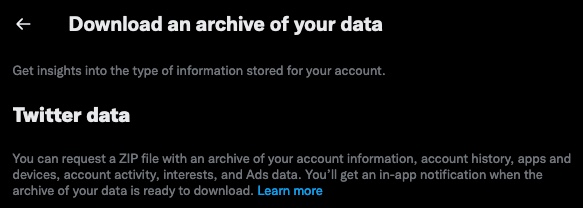
I’ll keep this short. You should download your Twitter data, Facebook data, and as you probably have that too, your Google data. You never know when you might be banned from using them, even accidentally.

After you’ve saved that data, go to Instagram and Reddit and do the same!

Twitter

Download your data from Settings->Your Account->Download an archive of your data.

Facebook

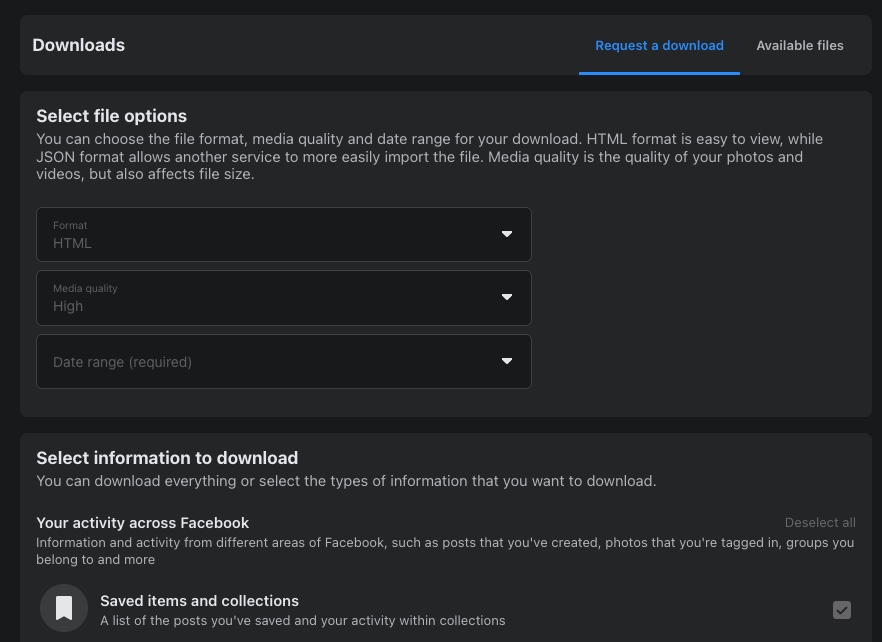
Download your Facebook data from Settings->Privacy->Your Facebook Information->Download your information. I like that they offer HTML and JSON options.

Google Takeout

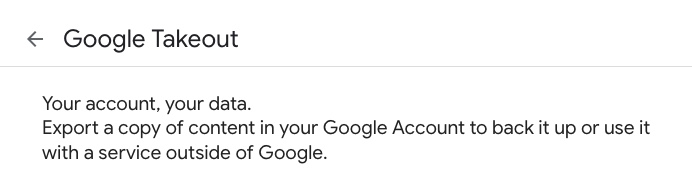
Google Takeout is where you download your Google data. There is a lot there. At the time of writing, it shows 53 products, which includes YouTube, Gmail and Google Photos.

Instagram

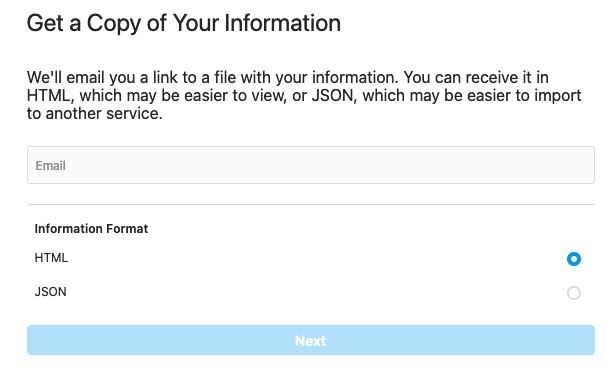
Download your Instagram data from their Privacy and Security page where you will find the request page.

Reddit

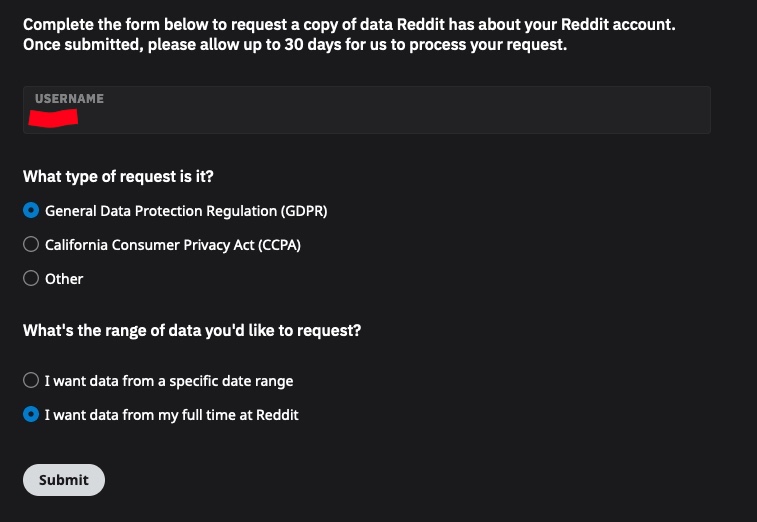
And finally, Reddit. You can download your data from their data-request page.

Keep that data safe. Don’t leave it in your download directory. It potentially has lots of private information you won’t want to be shared with anyone who uses your computer.

Google lets you schedule up to 6 data downloads per year, but it might be worth setting a calendar reminder to do this at least once a year. Store your downloads in dated directories to make it easy to keep track of when they were downloaded.

Firefox printing with no headers and footers

First it was Netscape, then Chromium, on to Chrome and now (back) to Firefox, but the paperless office is still a pipe dream for me and most people.

Printing from Firefox can be annoying. I don’t like seeing the title, URL, current time, etc in the headers and footers so I would change those settings each time. Since I don’t print that often I’d always forget to find out how to save those settings, until today.

Turns out it’s quite easy, but it does require some tinkering with internal Firefox settings!

In Firefox, type about:config.

  1. Search for print.print and list of entries will appear.
  2. Look for:
    • print.print_headercenter
    • print.print_headerleft
    • print.print_headerright
    • print.print_footercenter
    • print.print_footerleft
    • print.print_footerright
  3. Double click on each one and remove the text in the (value) box.

This will remove the header and footer information when you print.

Next time I tried to print a page the headers and footers were both blank!

Is there a PHB at Reddit?

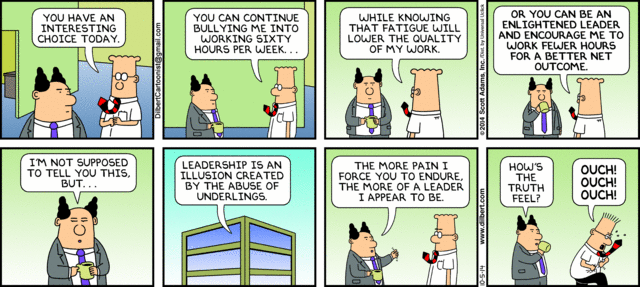
When I read about what what happened to the remote workers at Reddit my blood runs cold. Did management take a lesson from the Pointy Haired Boss in Dilbert’s office?

227839.strip.sunday

I can’t imagine how poisoned the workplace at Reddit must be now that everyone has had an ultimatum to move to San Francisco or be fired. I’m a big fan of the site but it leaves a sour taste in my mouth. There’s a boss there somewhere who wants to make life as difficult as possible for the people who helped make that site what it is today.

PSA: Google may penalise you for using Auto-Backup

tl;dr: if you upload a large number of photos Google may stop you uploading new photos to Google Plus. I’m not sure how long the penalty stays in place or if it is lifted at all.

A few weeks ago I decided to use the desktop Auto Backup tool to make a copy of my photo archive on G+. I have over 155,000 photos but I have a relatively slow upload speed of about 50KB/s so I knew it would take a while.

The upload was working fine, Google Awesome started doing it’s #Awesome job making animated GIFs and enhancing photos. Old photos I hadn’t seen in years popped up in stories and animations and I shared some of them too. It all came to a crashing halt last weekend. My photo archive on G+ stands at just over 100,000 images.

First of all the auto backup app stopped working. It did this a few times but by restarting the upload worked again. Not so this time. Then I noticed photos from my phone weren’t being backed up to G+.

I then tried uploading a photo from my photoblog four days ago but that failed too!

Here’s what happens if I try to upload a photo and share it on Google Plus:

Google Plus upload failed

Here’s what it looks like when I try to upload files to the photo uploader:

Google Plus: photo upload server rejected

I did find this post by Brian Rose from 2011 which appears to be the only place a Google employee has discussed these limits. Unfortunately it’s not clear if this is a temporary cool down or permanent ban on uploading.

Hi everyone, thanks for your kindly emails. 🙂 The original issue reported here should have been resolved in July 2011, but our team has created additional confusion because Picasa uses a generic “Server rejected” error message rather than a more specific error code. There are limits to both filesizes per video (up to 1 GB) and to the number of bytes you upload to your Google account in a certain timeframe. I can’t provide exact details about those limits because they help us address abuse, but the more recent reports I see in this thread look more like what is reported at https://groups.google.com/a/googleproductforums.com/d/topic/picasa/5OVjFio8k54/discussion

That’s also a long thread, so to summarize:
If you’re trying to transfer a large quantity of photos (totaling well over 1 GB) in a short amount of time, you may see our Error 17 or Server rejected errors.
Photos that are uploaded to Picasa Web are saved on your Google account, they do not need to be re-uploaded to Google+. A photo you upload to Picasa Web will be accessible from Google+, and vice versa.
This isn’t related to the amount of free space you have in your storage quota, it’s about the number of bytes you’re pushing to your Google account in a certain timeframe. Deleting photos to free up space shouldn’t have any positive effect.
We’re constantly monitoring how many people hit these server errors and making tweaks to improve the experience for people who regularly share many photos or videos. Since this thread no longer addresses the original issue reported, I’ll lock this discussion to new replies but you can continue discussing this on the thread I linked to above at https://groups.google.com/a/googleproductforums.com/d/topic/picasa/5OVjFio8k54/discussion, thanks.

I found out I can upload files to Google Drive and share them from there but that’s hardly a suitable alternative.

So, why doesn’t the Auto Backup desktop app warn us that this might happen? I’m not the only one to hit this. Comments on this post suggests it might be a temporary ban of 14-30 days but I suspect that’s only a guess.

install-auto-backup

Meanwhile, Google is still trying to get me to use Auto Backup!

Google Reader Alternatives

Google Reader, an online app that allowed you to read and be notified of updates to blogs like this, will close on July 1st. It’s unlikely that anyone reading this isn’t aware of that but just in case. Export your data now!

google-reader

There are a number of alternatives to Google Reader, each one has it’s own quirks and advantages. Gamma Goblin has listed a few on his blog but I’ll recommend my favourite one, Feedly.

After the frankly stale and unmaintained user interface in Google Reader the UI in Feedly takes some getting used to. At first I hated it but in the last few months they’ve improved it. I could try and describe how they’ve changed it but I’m just a user of the service. I notice when things go wrong but when they work right I don’t notice. However, I was reminded by Joseph Scott that Feedly doesn’t have an export option so make sure you backup your data out of Google Reader or you won’t be able to try other services quite as easily as you can now.

Feedly is moving at a great pace. Make sure you follow their blog (in Feedly, or the WordPress app as it’s on WordPress.com!) for further updates.

Also make sure you subscribe to this blog if you haven’t done so already!

Extra Adverts showing in Chrome?

For the last few weeks I’ve noticed unusual floating adverts from superfish.com on amazon.co.uk, focalprice.com and other shopping sites but I couldn’t figure out what was causing it. Turns out I’m not the only one to notice them.

superfish floating advert

It was an extension I had installed in Google Chrome. I went through each of the extensions I have installed, checking the options for each. Some didn’t have any options page and only one mentioned adverts at all but it wasn’t the Superfish one. With those checked I disabled each extension one by one, reloading Amazon until the advert went away.

I found it. “Flash Video Downloader” version 2.3.5 (id: ggkfikfcbnpfoicfjammigpnakpogebh) was responsible for the adverts. Authors of software want to be paid but this was very underhand. The extension has no options page and doesn’t mention adding Superfish adverts on the extensions page. It’s also a reminder of how much trust we put into the authors of software with access to our personal and private data. Since finding this I found the CNET download page and reviews for the extension. The latest reviews warn of the added malware:

Pros
Flash Video Downloader used to be an easy & safe product to download flash-based videos embedded into various websites.

Cons
They’ve secretly slipped Adware/Malware into their product (Superfish “Featured Shopper”). Flash Video Downloader obviously tracks your browsing history (that’s how it know’s when there’s a flash video available to download)… who knows where your browsing data is going now that they’ve got AdWare/Malware involved.

Also, Flash Video Downloader recently removed support to download YouTube videos. (I suspect Google/YouTube probably forced that change for copyright purposes.)

Summary
With Adware/Malware added to the product and YouTube support removed removed, I suspect most users will no longer find this product helpful or safe to use.

The extension isn’t on the Chrome Web Store. The last time I went searching I couldn’t find a decent one on there but maybe that has changed since. I don’t want to pirate Youtube videos. Sometimes I just want to watch a gameplay video offline!

Who gets your data after death?

I have to admit that filling in the inactive account settings for my Google account gave me the shivers. There’s not much that would stop me logging into my Google account for more than 3 months. It would have to be one of the following:

  • Trekking through a rainforest pursued by secret agents monitoring all radio communications.
  • Lost on a desert island with only 80’s computer equipment to keep me amused.
  • In a coma after a botched attack by terrorists who are hell bent on killing open source developers.
  • Dead.

None of the above are very appealing options but at least one is as inevitable as, err, taxes, so it must be faced.

I added a trusted contact and was then presented with a popup asking for a subject and email body. Writing that was unsettling but I hope more services do something similar. I’ve heard too many horror stories about Facebook accounts that have been frozen on the death of an account holder.

You can choose what data is or isn’t shared with a contact. Included is Latitude, which has tracked my whereabouts for the last 2 years and will continue to do so. It makes me wonder how my descendants will cope with the deluge of information. It may very well end up as an anonymous zip file on someone’s computer I guess.

The list won’t be frozen in time either. Do I add my siblings? What about my son when he’s older? What age? I should set a calendar reminder for his 18th birthday. I’ll have to warn those trusted contacts because Google sends an email and a text message when the account goes inactive. Like a letter from the grave.