WP Super Cache version 0.9 is now available. WP Super Cache is a page caching plugin for WordPress that will significantly speed up your website.
Update – if your blog is installed in a sub directory instead of at the root of your server, the .htaccess file might be wrong. Download and install the development version which corrects this. You’ll have to edit the .htaccess file (anyone want to volunteer to write an auto-upgrader?) and remove the rules between the lines # BEGIN WPSuperCache and # END WPSuperCache. Delete those lines too and visit your admin page. The plugin should do it’s stuff and spit out correct mod_rewrite rules for you. The dev version also has a few other bug fixes so if you’re adventurous have fun upgrading!
There’s no need to touch wp-content/cache/.htaccess
Are we nearing version 1? Possibly. In this release a number of bugs have been fixed and the following new features added:
- Mobile user agents are detected and a different cache page created for them. If you use a plugin that displays a different theme to these devices it will hopefully work now. The plugin changes to “half-on” mode because the detection is done by PHP. Thanks to Alex King‘s WordPress Mobile Edition plugin for the detection code.
- The number of cache files will be more than halved on a normal site with plenty of anonymous visitors. This should be a huge win for WordPress MU sites and very busy blogs.
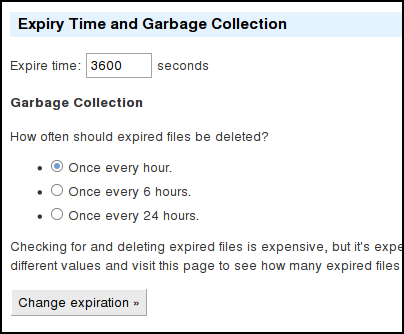
- The last and next garbage collection times are displayed on the admin page now.
- In previous versions the newly generated page was delivered uncompressed to the first visitor even if the browser supported compression. I’ve fixed this but I’m not 100% certain it will work for everyone so it’s disabled by default. Edit wp-content/wp-cache-config.php and add “$wp_cache_gzip_first = 1;” to enable this. It’s enabled here.
- If expiry time is longer than 30 minutes, garbage collection will be done every 10 minutes, else it’ll be done 10 seconds after the expiry time.
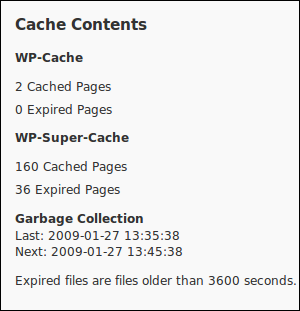
Unfortunately wp-content/advanced-cache.php will have to be updated again and it’s not as simple as copying the file from the plugin directory. Full instructions are printed on the admin page and it should auto update in most cases.
PS. Test your upgraded blog on Is my blog working, a project by fellow Automattican Alex Shiels.
Here’s the page for this site. 102ms page generation time is rather fast!