Install Ubuntu on your Android Phone

With this app you can install Ubuntu on your Android phone. It has to be rooted obviously and it’s definitely not this.

It looks like this installs Ubuntu in the same way as in the video above. It’s an app that runs in the background and you use a VNC client to connect to it. You could of course use VNC on a local desktop machine to connect to it too making it more useful but I think this is more a curiosity for those who like to tinker with their phones …

Pity he couldn’t get WordPress running on that Ubuntu install. That would have been fun to see!

SSH Socks Proxy for Android Phones

Android has had VPN support for donkey’s years but I could never get it working. I tried pptpd and xl2tpd but pptpd didn’t work (and has security holes) or the configuration is daunting and lengthy when all I want is a simple proxy.

There’s also HTTP proxy support built into Android. It’s exposed in Samsung and other ROMs at Settings->Wireless and Network->Wi-Fi Settings, Advanced. Apparently this app sets things up correctly too. I’m not sure if it’ll do authentication however unless you add the username:password in the hostname. I also don’t want to install Squid on my public internet server!

So, the holy grail of proxying would be doing so through ssh. Nothing else to install on my server and I get an encrypted tunnel through the internet and out of Ireland which might be a good thing to protect my privacy from the prying eyes of the Irish Government. A far more mundane reason is the security of my data from others on a public wifi network. (Aside, on what will the record companies blame the falling numbers of CDs sold when the Irish version of SOPA is passed?)

The good news is that you can now create an ssh tunnel from your Android device. The bad news is that it has to be rooted to make the most of it. Go grab the SSH Tunnel app and you’ll be sending data through your remote host in no time. There’s also a beta version that uses an OpenSSH native binary rather than a Java implementation. I haven’t tried that yet, the stable version worked fine for me.

You can stream Netflix through it, and browse the net, post to your blog or whatever else takes your fancy. All through a secure tunnel to a remote server.

In case you’re interested, it’s simplicity itself to do the same thing on Linux or Mac computers using the installed ssh client. On Windows just use Putty!

Charlie Chaplin’s Kerry Accent

Charlie Chaplin, the star of silent movies of a bygone era spoke with a Kerry accent. Well, he did when he spent time in the town of Waterville in that county of Ireland. So his daughter says in this RTE documentary called “Kerry and the Tramp”.

It’s a wonderful documentary to listen to, especially as they interviewed his family and people who met him who all had their own stories about the actor.

I did not know that he was practically forced out of the United States because the authorities there suspected he was a communist. They let him back in the 70’s, but only for 15 days. He joked that they were still afraid of him!

I installed the RTÉ DocOnOne app but it’s stuck on the “Loading” page so best to not use that if you’re on Android. Does the iPhone version works better?
Then I was left wondering how do I subscribe to an itunes podcast without itunes but thankfully searching for “documentaries on one” in Podkicker worked!

Kids Place Android Parental Lock

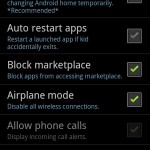
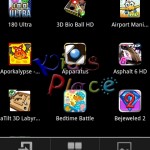
My new favourite app is Kids Place. It’s an application launcher for Android that only allows access to the apps you want. The parental lock is protected by a 4 digit PIN but the launcher can be disabled by rebooting the phone.

A launcher app, with child lock, for Kids to protect your personal data & apps.
Creates a safe area on you device for kids. Child lock protects your personal information when kids are using your phone or tablet by restricting them to apps you approve

My son loves playing games on my phone and I usually put it into Airplane mode so he can’t go online accidentally but once in a while he’ll move the icons around or make new folders. Luckily he never deleted any contacts or messages but with this app I don’t have to worry any more. Parents, go get this app if you have an Android phone!

Oh look! There’s Jupiter!

My wife called me out to the back garden tonight to see the bright object in the sky near the moon. She thought I might know what it was you see. I, uh, didn’t. I thought it might be Mars because of the colour but I knew how to find out! Google Sky Map to the rescue!

I quickly installed the app on my phone, pointed the device at the moon and hey presto! Instant astronomer! Ok, maybe not but it’s still a very cool app. The last time I tried it I found the map was a few degrees off which might have been something to do with the GPS on the original SGS. On the SGS II however it was accurate and a pleasure to use.

Thanks Google!

How open is Android?

The Android Wikipedia page is quite a read. I’m particularly taken with the research into how “open” it is (not really, compared to other projects) as I’ve never seen a commit log or discussion of patches for it.

Moreover, our findings suggest that Android would be successful regardless of whether it is an open source project or not, to the extent that the vast majority of developers working on the project (the platform itself) are actually Google employees.

The section on Linux is intriguing too. Linus Torvalds says that Android and Linux would come back to a common kernel but that presumes Google will open it’s development and “innovate” in the open. I’ll just leave this here to check back on in 5 years time..

Meanwhile, there’s the Replicant project, an effort to make a completely Free Software version of Android. They want to remove proprietary device drivers and discourage the use of Google Market. Their list of supported phones is limited but I was surprised to see the iPhone listed there!

I did wonder what the difference was between Replicant and CyanogenMod. Various posts I’ve read on the XDA forums have stated over and over again that the project was more interested in open source solutions rather than using proprietary software but this thread on LWN shines some light on the issue.

Found the official line:
“CyanogenMod does still include various hardware-specific code, which is also slowly being open-sourced anyway.”

So, they’re being realistic about their efforts. They’ll use proprietary software when necessary but they’ll work towards replacing that software. At the rate that handset hardware changes I applaud them for taking this pragmatic route. The only phone the Replicant project fully supports is the relatively ancient HTC Dream. Yes, open source drivers should be released by manufacturers but that won’t happen.

Android isn’t really that open in terms that an Open Source advocate would understand. The traditional public CSV or SVN repository and a daily changelog is nowhere to be seen. It’s definitely developed in a cathedral rather than a bazaar. Does it matter to the vast majority of its users? Probably not, but I for one am happy it is Open Source and the code is out there. Without the (admittedly late) release of source code it would be much more difficult to use other after-market firmwares on Android phones.

Samsung Galaxy S II Blues?

So you just bought Samsung’s new Galaxy S II smart phone. Nice isn’t it?

One of the first things I noticed when I turned it on was the unusual blue colour cast on the screen. It’s impossible to capture in a screenshot but I soon found out how to fix it and promptly forgot about it again. I was only reminded of it by the Ars review of the phone. Oddly they found the phone to have a yellowish colour cast:

But the screen has a very warm cast to it even at the brightest settings, so whites look yellowish-brown, like you’re looking at the phone through sunglasses. Samsung may have tuned it this way to mitigate the AMOLED’s brightness, but we found it off-putting. This isn’t an obstacle that can’t be overcome, and we’d likely get used to it after a while—some people prefer warmer-toned screens. But every surrounding phone’s screen will always look bluish and undersaturated by comparison.

It’s easily fixed by going into Settings->Display->Background effect. In my experience, “standard” looks a bit pale, blue and cold, “movie” looks a bit yellowish and warm. I finally selected “dynamic” and that looked the best. Whites look white. Persil would be proud.

Oh, the phone is fabulous. The default launcher sucks but it’s simple to change that (Go Launcher EX, thank you!). Google had all my settings already recorded so it was only a matter of logging into Google and it sucked down all the apps I had previously from the Android Market. Same with contacts. Definitely the easiest phone upgrade I’ve ever done.

Also check out this lengthy Anandtech review of the phone. Quite a bit of reading!