If you’re in this part of the world, then daylight savings means the clocks went back an hour last weekend. Your phone adjusted itself, as did some other gadgets, but your oven probably didn’t, and your camera almost certainly didn’t update either.
I couldn’t possibly describe how to fix the time on your camera, but on my Sony A7III I was able to disable “daylight savings time” and the time was corrected. I need to switch it back on next Spring, of course.
If, like me, you forgot to do that on Sunday morning, or even worse, you’re in the USA where they switched a few weeks ago, you can use a handy tool in Lightroom to fix the time on any photos you took. It’s in Metadata->Edit Capture Time… and you can adjust the time on multiple photos at a time.
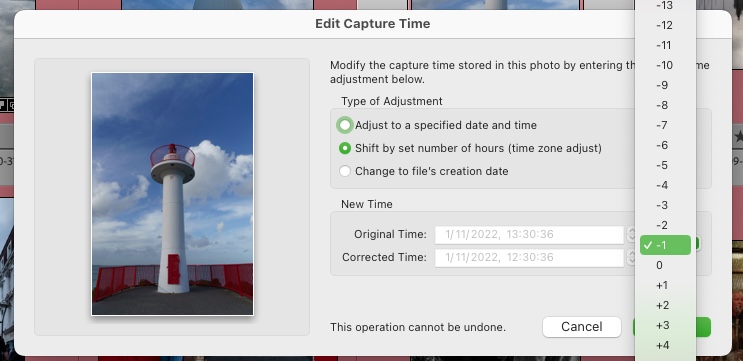
Good thing too, as I had to adjust the time on several hundred photos.
Of course, if you’ve been travelling to another timezone and forgot to adjust your camera time, you should use “Edit Capture Time” to fix the time on those photos too. Years later, you’ll wonder why photos taken at noon are pitch black, and it wasn’t an eclipse…