

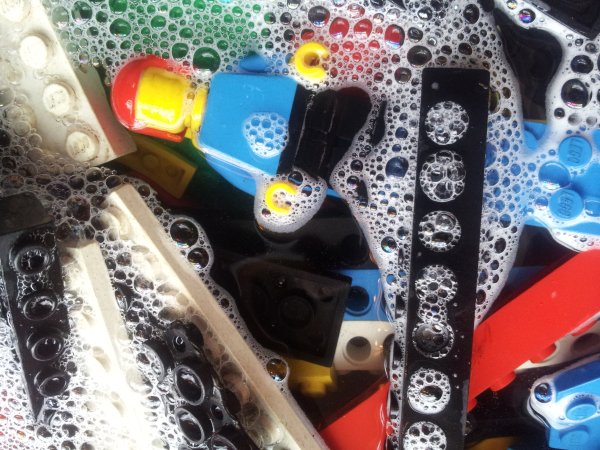

Well used and loved Lego may break and get squashed but the non-broken bits can be washed and dried and used again by a new generation.

Well used and loved Lego may break and get squashed but the non-broken bits can be washed and dried and used again by a new generation.

It’s the game that many people upgraded their PCs for but Battlefield 3 isn’t the darling that Bad Company 2 was, at least for me and the guys I play with.
Expectations were high for this game. The trailers promised massively destructible environments and so much more but the final game did not live up to the hype. I guess it couldn’t really, could it? We were expecting a game that would be the second coming of Christ in gaming terms, weren’t we? If Jesus played any game, he’d choose Battlefield 3. Now I think he’d probably pick up Skyrim and go adventuring by himself wielding swords and magic fireballs to defeat his foes!
I played Bad Company 2 since early 2010. It wasn’t always a rosy relationship (remember C4 on the MCOM stations?) but it took over a year for me to become as apathetic towards it as I am about Battlefield 3 now. The latter game only came out in September! Veterans of PC gaming gush about Battlefield 2. Do you feel the same about Battlefield 3?
I’ve let my Xbox Live subscription lapse, and I’ll probably trade in the Xbox version of BF3 for store credit. I’ll still jump into a game (on PS3) if anyone wants but the heady excitement of the early days has already worn off.
There is a ray of light, for me at least. I’ve rediscovered single player gaming. Skyrim kept me distracted for a few hours over the Christmas holidays but it’s Saints Row the Third that is my favourite game of 2011. There is so much silly and creative fun and idiocy in that game that it’s a pleasure to play. It’s even better coop!
Closely following that game, I have to admit the many hours I put into Darwinia were a pleasure too. Such a simple game but the story gripped me – help a developer rid his computer generated world of viruses! Loved that.
Catch you all in Killing Floor, L4D2, or most likely anything but Battlefield 3…
Before I started watching the British science fiction tv series Misfits I thought it might be a remake of Misfits of Science, a tv show that aired in the mid 80’s. I couldn’t be more wrong. The new show is so much darker and edgier. None of the fluffy woolly brightness of superheroes who always do the right thing. Definitely worth watching!
You can watch the Misfits trailer too but E4 won’t allow me to embed it so you’ll have to go to Youtube. Silly.
I never realised Courteney Cox starred in the Misfits of SCience. ‘Course as a 10 year old I had no idea who she was back then and this was long before Friends.
If your Xbox Live account has been hacked chances are it’s because you used a weak password. According to this post xbox.com reveals if a hacker has found a legitimate email address by printing the following error:
The email address is or password is incorrect. Please try again.
After 8 attempts with a wrong password a CAPTCHA is shown but that can be easily circumvented.
Now, showing that error message makes the job of hacking accounts easier but if it wasn’t there you can be sure that login page would be (and is being) hit by dumb bots that stuff the login page with random emails and passwords. My blog gets hit by so many bots exploiting vulnerabilities for software that doesn’t even run on here that nothing surprises me any more about the intelligence of script kiddies.
It would be super if Microsoft used something like Steam Guard or at the very least put time limits on successive password checks but in the meantime what can you do?
My XBL Gold subscription ran out a few days ago so I’m back to being a silver member. Not too fussed as almost everyone I play online with has a PS3 or PC too. I’m left wondering why I need an Xbox 360 any more! I will make doubly sure that I have a strong password on the account.
Thanks Gavin for linking to that article, even if we do disagree about what a security hole is. 🙂

I’m a big fan of Bibble Pro by Bibble Labs so when I saw an email from them a few days ago announcing their sale to Corel I was a little worried. The last time I had anything to do with Corel software was when they had a Linux distro. That didn’t end so well.
Here’s some blurb from the press release:
Corel bought us for a couple of reasons. First, they were looking for a top-of-the-line technology to complement PaintShop Pro, their flagship photo editing solution. They were blown away by the speed of Bibble’s technology and saw the opportunity to invest even more in development and in bringing our technology to even more users- something that Bibble Labs simply couldn’t afford to do on our own. We’ve been working with the Corel team for the past few months and it’s clear they’re committed. They are excited about our technology and processing power, and the opportunities we see to take the product forward. They recently released PaintShop Pro to very strong user and industry reviews, and are now keen to offer photographers a powerful workflow and management solution. Corel knew there was no better match for them than Bibble.
All of us at Bibble have joined the Corel team. We’re keeping Mac and Linux support and we’re staying in Austin. I’m now running product development for Corel’s new photo workflow solution that is based on the core Bibble technology. What’s even better is that I now have access to dedicated user interface and graphic designers who are helping to improve usability and make the product even better looking. I also now have a full QA team dedicated to product testing, along with documentation and localization teams, marketing and sales teams, and a huge, international distribution system to help get our technology the notice it deserves. We also have access to a customer support team to help provide the personal attention I had always wanted to provide, but couldn’t do on my own. Not only does this mean that many more folks are working on this product than ever have before, but it als o means that all of us at the Labs can focus 100% on the core technology and the product.
Bibble Pro has been transformed into Aftershot Pro. You can download a trial version here. It looks very like Bibble Pro but it’s a lot snappier. It loads very quickly, previews show quickly, applies filters quickly. It also feels lighter on my system.
The upgrade for existing Bibble users is $19.99 (EUR/GBP 14.99 incl. VAT) up to the end of January so I decided to go for it. Hopefully the speed increase isn’t because there isn’t a huge catalogue of imported photos! It would be nice to have some way of importing the Bibble photo catalogue.
Reaction elsewhere has been mixed. Check out these threads: one and two.
Oh yeah, Bibblelabs and Corel. Thanks for supporting Linux!

The other night my wife showed me a local paper pointing at a picture of Ray D’Arcy and Jenny Kelly that sat next to a report about their recent engagement. Great! We’re fans of the show, they’re nice people, lovely!
Only thing is, that photo looked familiar. I searched and found it in my US Book Launch Party post from way back in 2005. I’m used to websites borrowing stealing my photos but it saddens me when commercial newspapers like The Cork News do it too. I found their Twitter account too and guess what? I’m not the only photographer who’s had a problem with them.
So… @TheCorkNews- can you address this? MT @ElishaClarke Don’t appreciate my photo being used without my permission. http://t.co/tCqnTTKk
@TheCorkNews did reply positively which is good.
@DeclanMadsen Sure, we’ll be in touch with the photographer.
But the fact remains that they used another photo without permission, my photo. Leaves a really bad taste in my mouth.
The Cork News, I don’t want payment for the photo, or reimbursement for the 100 Euro train fare to Dublin, or the 40 Euro it cost to stay in a local hotel that night. If you want to make this good, please make a donation to Matt’s charity water campaign for his birthday. Thank you.
The Cyanogenmod 7 nightly builds for the Samsung Galaxy S stopped quite a while ago but the the builds linked from this thread work just fine and get you the latest CM7 nightly. Not touching CM9 until there’s at least a stable release as it’s my wife’s phone now!
I should walk my son to school more often. It’s only 1.2km away, 12 minutes to get back home and I feel refreshed after that walk. It’s been such a mild winter I have no excuse!
This video reminds me of that feeling walking into Waterstones or other book shop of the worlds waiting to be discovered on the bookshelves lining the walls and in the “3 for 2” piles of books displayed near the door.
I love reading, but I’ve hardly read a paperback in over 18 months. When you’ve found a great book it doesn’t matter what format the story is in. I do miss the book shop ritual though.
From one of the comments on that video:
I read, share, discuss, donate, gift and love my ebooks. So should you. Don’t hate only the latest incarnation of? books. I imagine scroll-fetishists thought that bound folios were the work of the devil. Sigh.