
Running a photography club competition used to mean juggling spreadsheets, chasing emails, and manually tallying votes. I built Photo Competition Manager to change that.
This free WordPress plugin handles everything your club needs: member management, secure uploads, flexible voting, and beautiful results displays.
This will suit a photography club that uses WordPress for their website and that has a projector for their meetings. If you already run a photo league with projected images or prints but collect votes from your club members using pen and paper you’re the perfect candidate to try this plugin.
This is the very first release of this plugin. It has been used a couple of times to run several test photo competitions and one monthly league competition. However, bugs happen. I would love if your photography club used this plugin but I will need feedback to improve it. Run a couple of test competitions first to get used to how it works.
Getting Started in Minutes
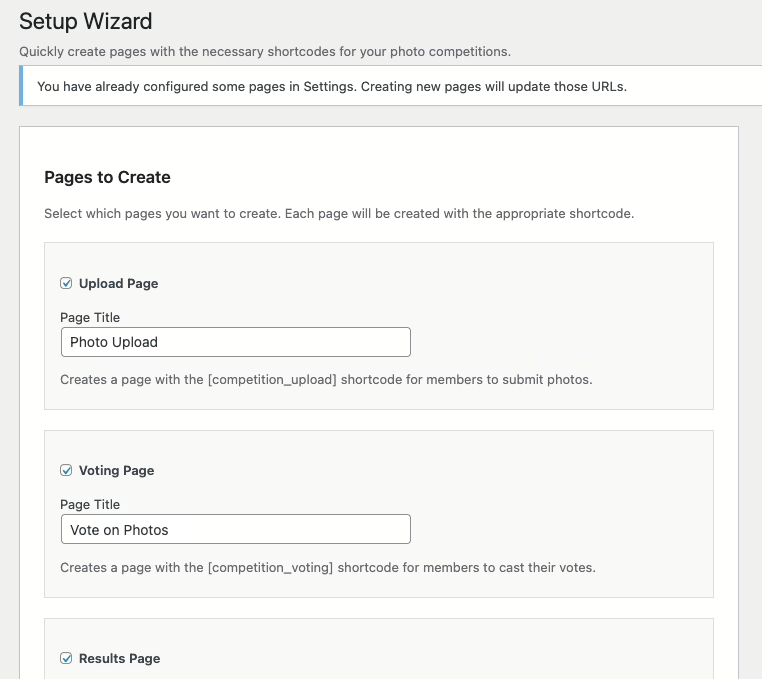
The setup wizard creates all the required pages automatically. Select the pages you need, click a button, and you’re ready to go.
Manage Your Membership
The Members page is your central roster. Add members individually or bulk import from CSV. Assign grades, track status, and send magic-link upload invitations with a single click.
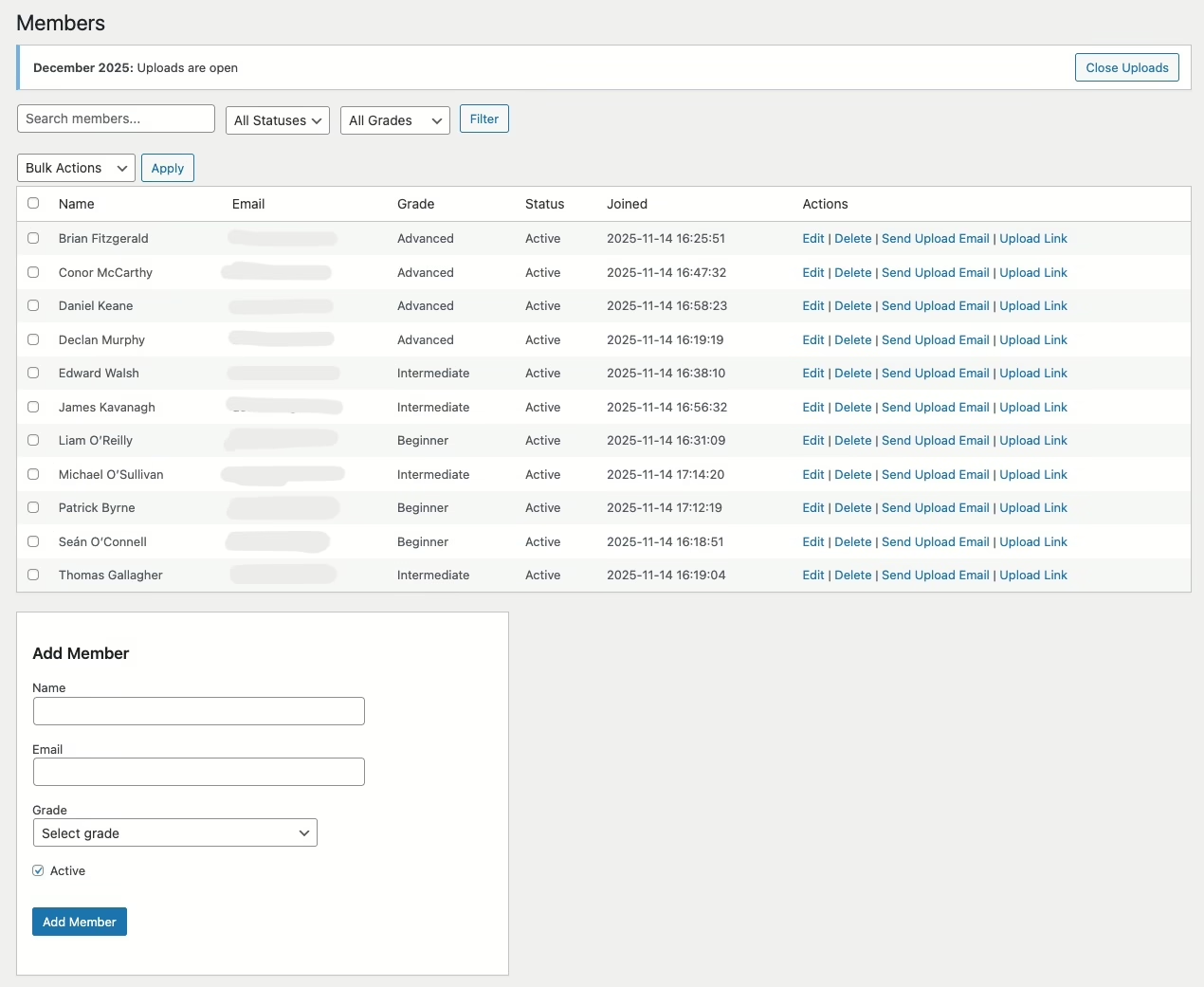
Each member gets a unique upload URL—no passwords to remember, no accounts to create. They click the link and upload.
Create and Track Competitions
The competitions dashboard shows a list of competitions, allowing you to edit them and send out upload emails to members. Only one competition may be active at a time, but a competition may have more than one category.
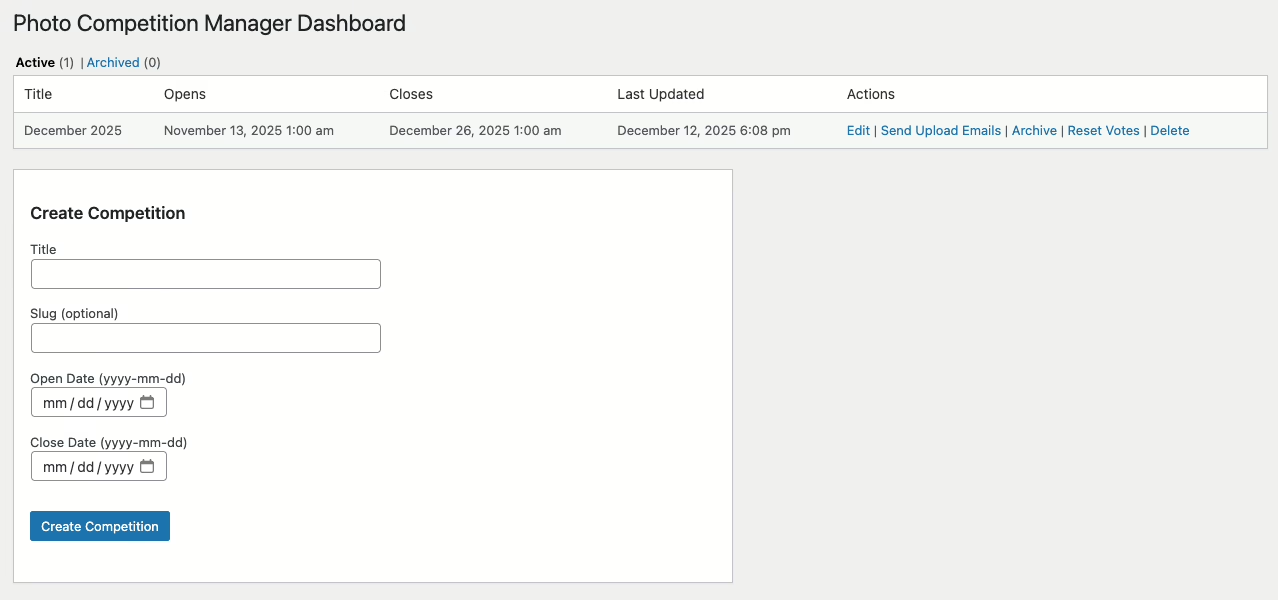
Create competitions with custom categories (Colour, Mono, Projected, etc), grade divisions (Beginner, Intermediate, Advanced), and submission quotas. Each competition can have its own rules without affecting your defaults.
Watch Submissions Roll In
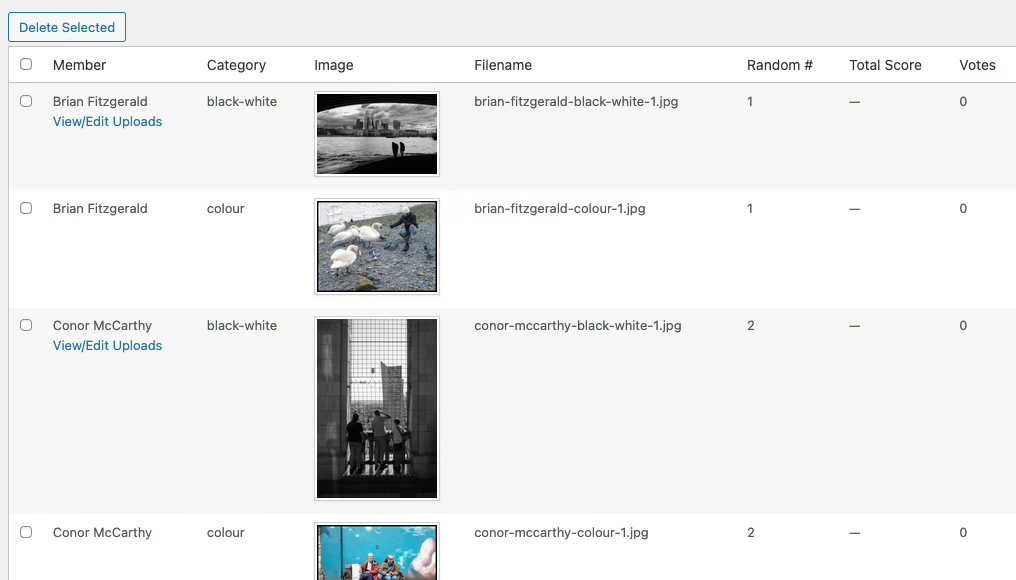
As members upload, the submissions page displays thumbnails of every entry. You’ll see who’s submitted, which categories are filling up, and whose photos are still missing.
A Frictionless Upload Experience
When members click their magic link, they land on a clean upload form. They select their category, choose their image, and submit. The progress banner shows upload status in real time.
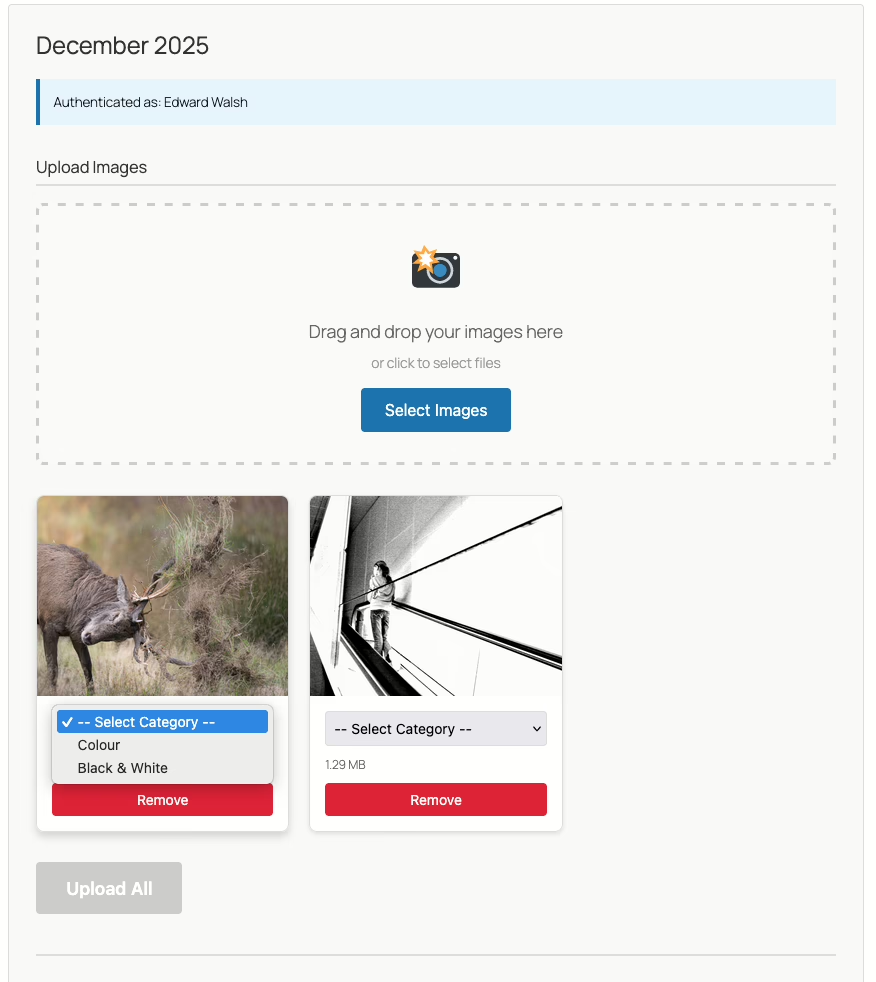

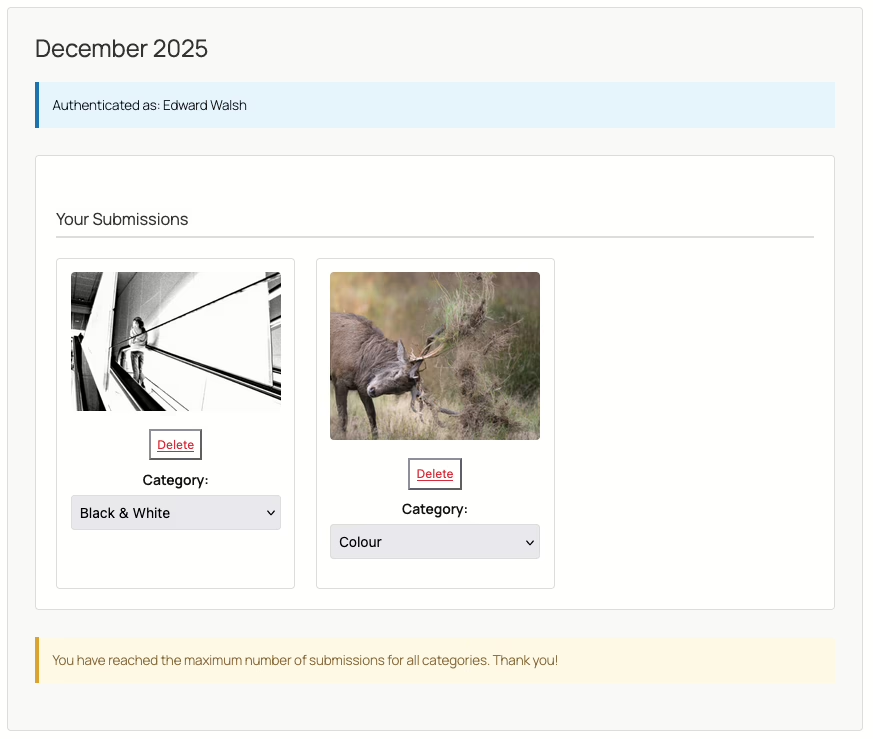
The plugin handles validation automatically—file types, dimensions, and quota limits are all enforced before the image is accepted.
Complete Control Over Voting
The voting controls page is your competition command centre. From here you can:
- Open and close voting for each category independently.
- Toggle the results display on or off.
- Enable slideshow mode for in-person club nights.
- Disable uploads once the submission deadline passes.
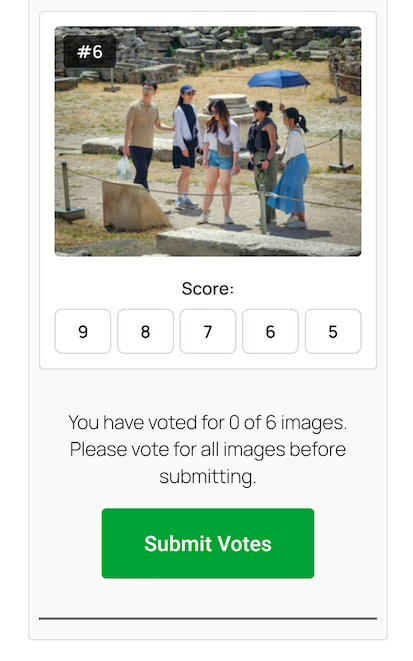
- Show a QR code for members to scan with their phones to vote.

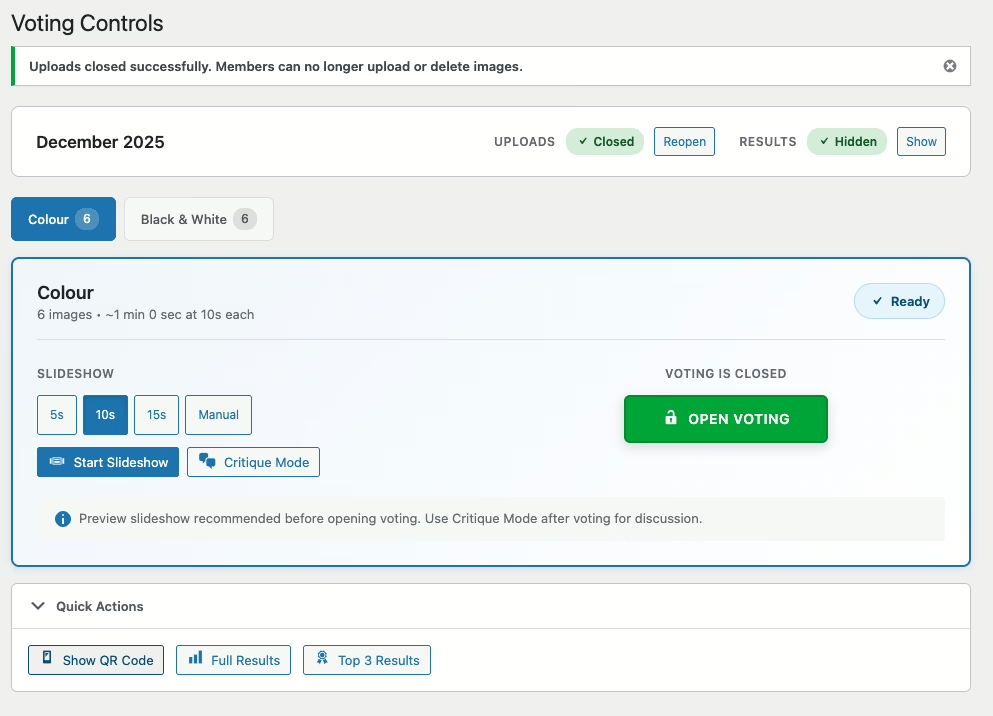
In the competition settings, you choose between token-based voting (unique links per member) or password-protected public voting. The voting controls page features a full-screen slideshow mode where members can vote together during meetings.
On the night of the competition we do the following:
- Close uploads and hide results.
- Show the slideshow with a 10 or 15-second delay as a preview.
- Display the QR code and make sure every member can scan it and open the voting page.
- Open voting and show the slideshow again.
- When everyone has voted, close voting.
- 2 members of the club will then go through the images and offer a critique, using the slideshow again but in manual mode this time.
- Repeat for the next category.
- When all the voting is done, toggle the results page on and display the “top 3” results, and then the anonymous results page on the projector.
- Finally, an email is sent out to all members showing their score, ranking in their grade and the votes they received. Names are not attached to the votes for obvious reasons.
Voting By Phone
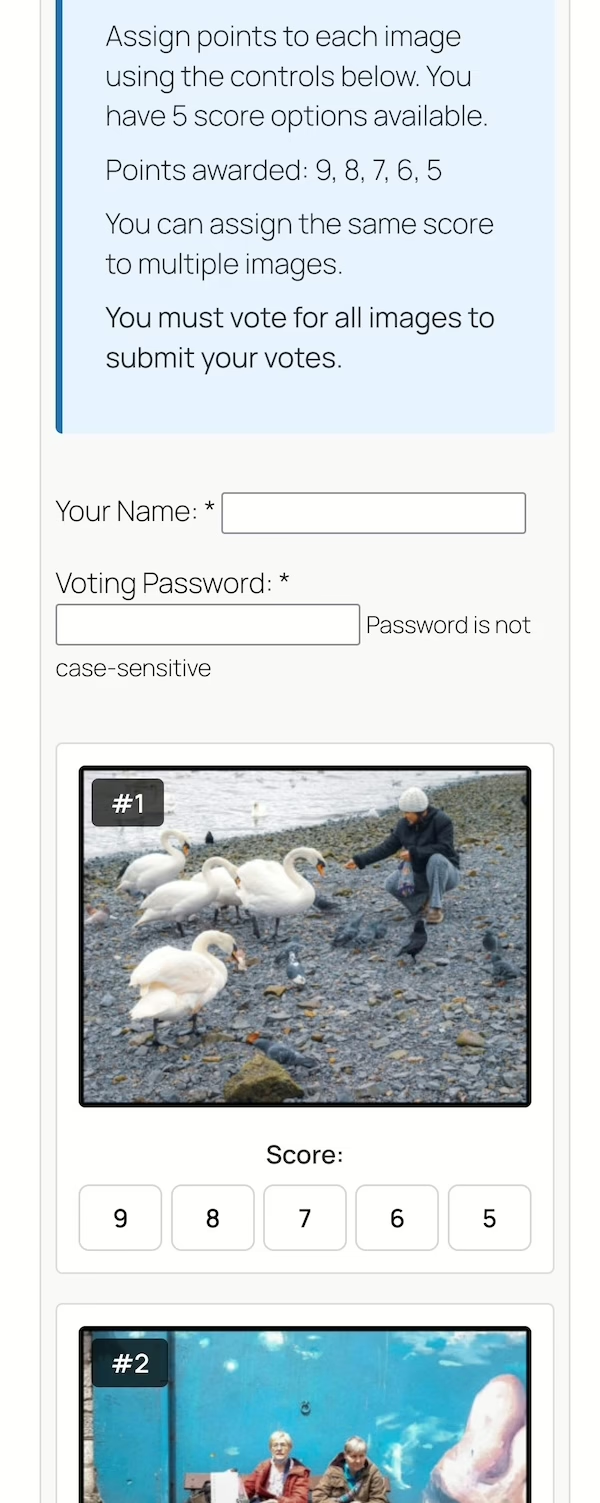
Members can vote on the competition using their phones after they have scanned the QR code on the voting controls page.
Results That Make Sense
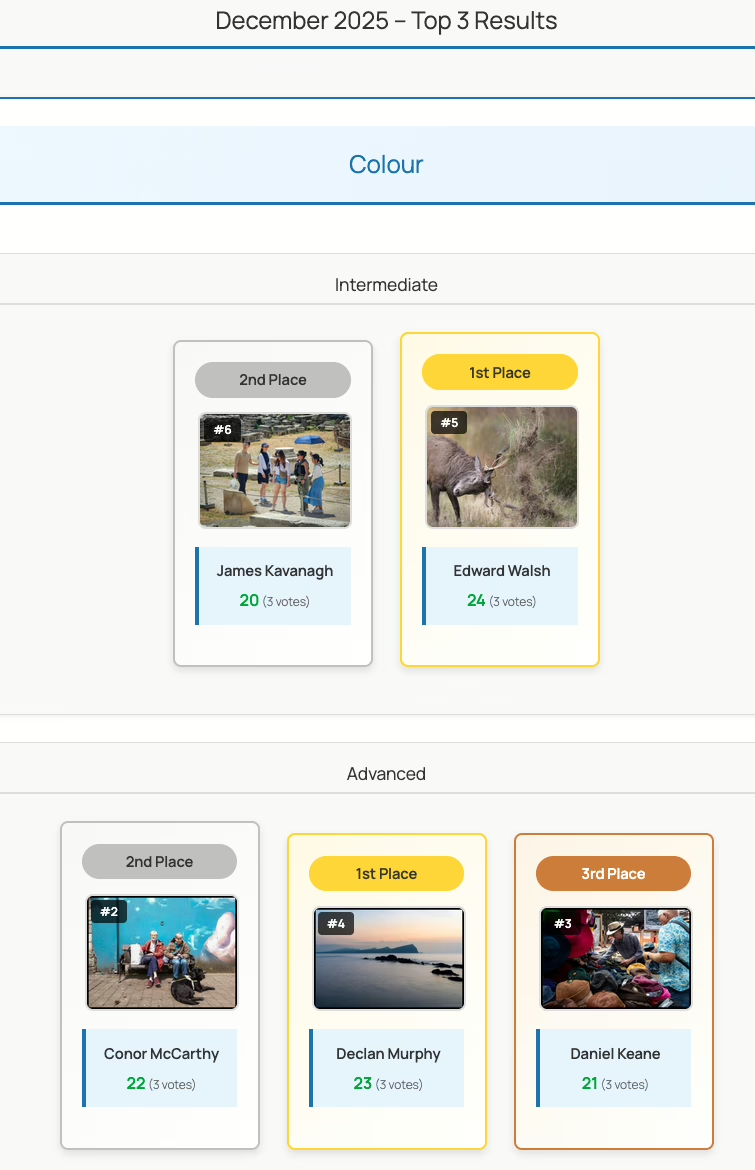
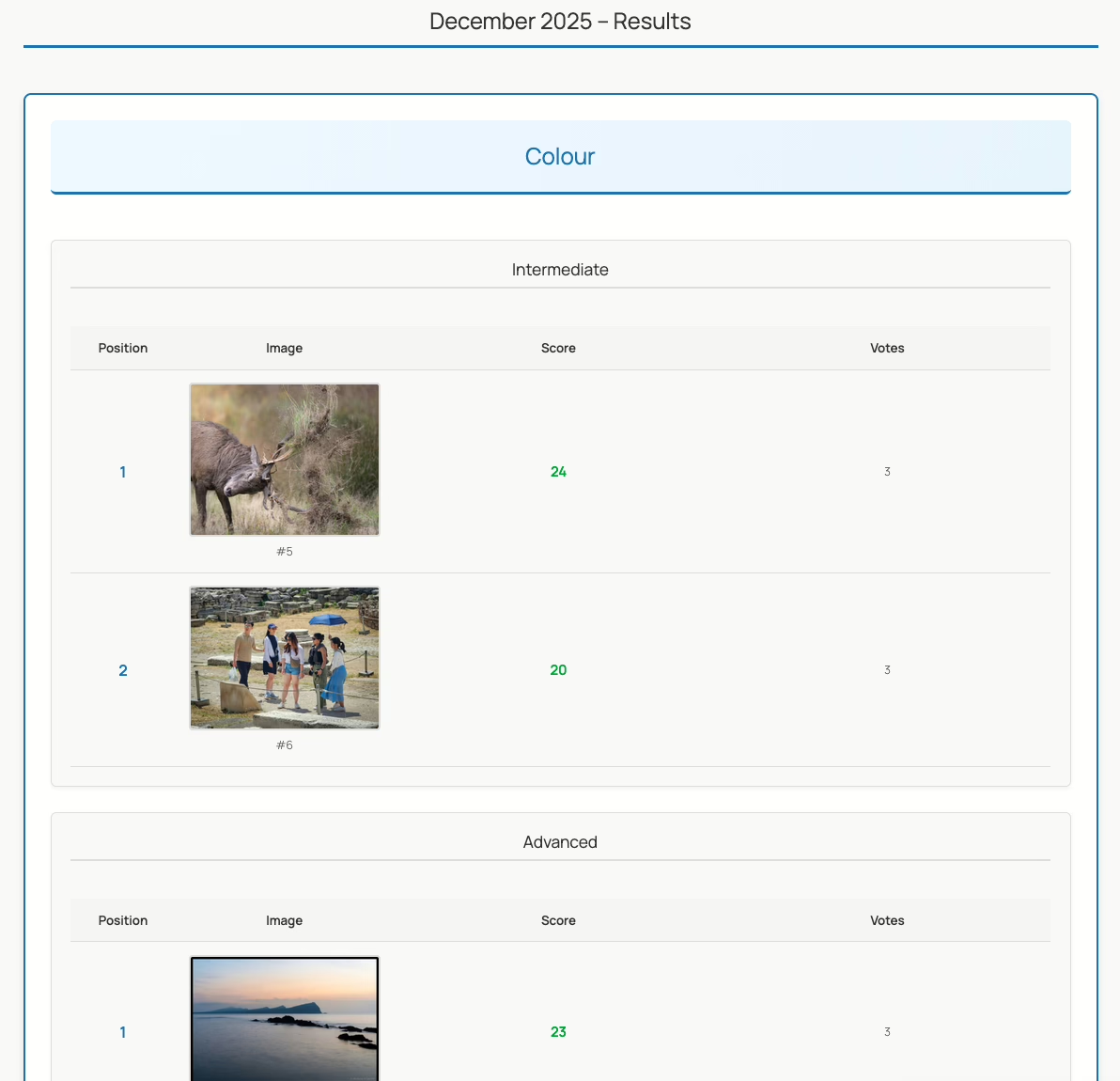
When voting closes, the results dashboard breaks down every score by member grade. See vote distributions, identify your winners, and export everything to CSV for your records.

The frontend includes a responsive top-3 podium display perfect for announcing winners, plus full results tables with filtering by grade and category.
Built for Photography Clubs
Photo Competition Manager was built specifically for the way camera clubs actually run competitions:
- Magic-link authentication means members don’t need WordPress accounts to upload.
- Grade-based scoring supports clubs that split their membership by experience level.
- Slideshow mode turns any screen into a projection-ready display.
- CSV export keeps your archives intact.
Get Started Free
Photo Competition Manager is free and GPL. Install it from the WordPress plugin directory or from the plugins page on your WordPress site in the usual way. Navigate to the Competitions menu to get started.
Download Photo Competition Manager
The source code is available on GitHub if you want to contribute or customise:
Questions? Open an issue on GitHub or post in the WordPress support forum. I’d love to hear how your club uses it.