Borg-ui and Vorta are nice BorgBackup frontends

I’ve been using Borgmatic, a Python frontend to BorgBackup, to handle backups of my photo archive.

For a few months I had trusted macOS Time Machine to do that job, but somehow, the APFS container or something got corrupted, and I had to format a 12TB external drive to fix it. Time Machine was interrupted while making a backup and corrupted an index irreparibly. We have occasional power cuts so I did not want that to happen again.

So, back to BorgBackup. I had used it before but I wasn’t happy with how I had it configured. I don’t remember what it was now, because the reasons are lost in the mists of time. I decided to look into Borgmatic to help run BorgBackup and it made configuring it fairly easy.

Borgmatic is a configuration-based tool, so you create a .yml file defining the directories to backup, where the backup repo lives, and then run it whenever you want to create a new backup. I have it running once a day because my photo library doesn’t change that often.

Browsing BorgBackup repositories was a weak point of the system, but there are two good options:

I tried Vorta before, but you need to mount the repository to browse it, and I didn’t want to go down the route of installing a macFUSE kernel mod. However, I see from their website some promising news:

Thanks to the new FSKit backend in macFUSE, supported file systems can now run entirely in user space on macOS 26. That means no more rebooting into recovery mode to enable support for the macFUSE kernel extension. Installation is faster and setup becomes a seamless experience.

If you’re only extracting backups, you can safely ignore the popup that demands you give Vorta full-disk access.

I noticed that the Vorta app behaves like a popup window on macOS. It’s not possible to CMD-TAB to it, and it has no menu system in the top admin bar. It’s not even in the Dock. You’ll have to run it from Spotlight/Alfred/Raycast and it will be shown.

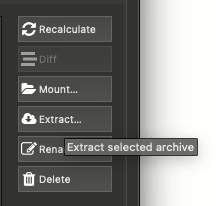
From the Archives tab, it is possible to “Extract…” from a repository that doesn’t require mounting of the backup and that does work. If you have a large repository you may see the infamous spinning colour ball if you’re using a Mac as it gets all the file info. Give it time. It may take more than a minute to show you a file listing.

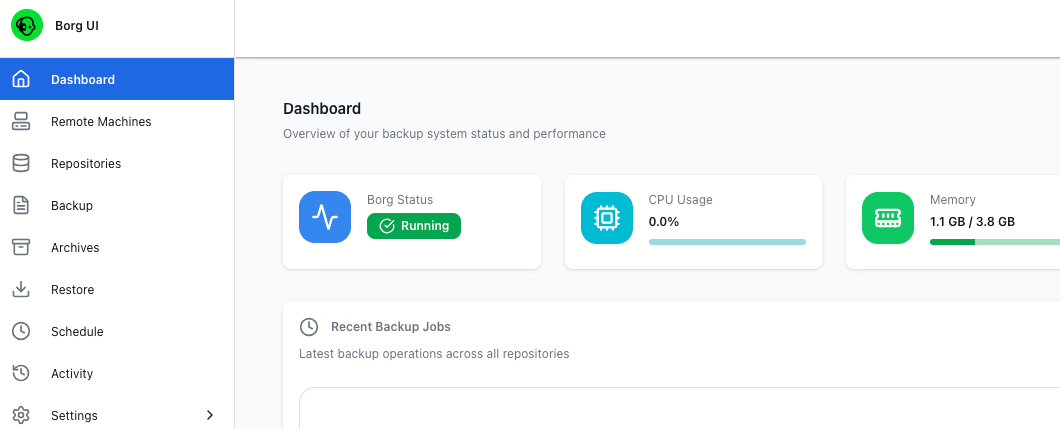
I’m also investigating a web-based borg-ui that runs in a Docker container. That allows me to restrict access only to the directories I want to back up or restore, or as I have configured it now, it only has access to the backup repositories and a restore directory. I don’t need to restore files very often so I can shut down the container and only launch it when I need to.

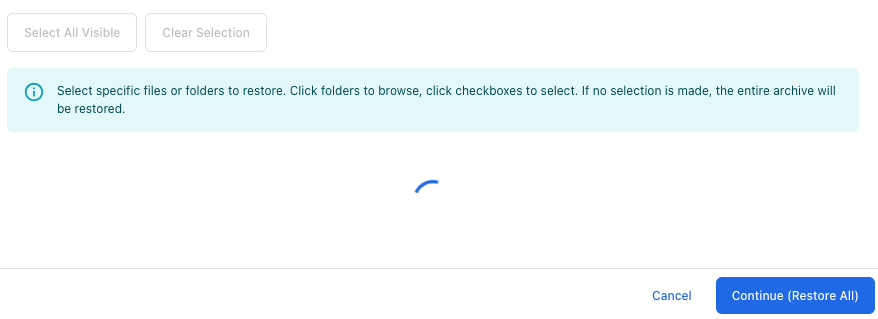
Browsing or extracting files using Borg-ui is just as slow as in Vorta, but it has a spinning animation in a modal popup to stop you from trying to restore twice.

If you’re not familiar with Docker, give Vorta a go, but borg-ui is definitely worth a look too. Don’t depend on either of them to do your backups. That should be automated so you don’t need to remember to do it.

You should of course have a remote backup, and for that I recommend Backblaze. I’ve been using them for years. Thankfully I’ve hardly ever had to restore more than a few files from them but I check it semi-regularly. Sign up through here and I’ll get a free month if you pay for it!

This Reddit is a private community

The moderators of r/programming have set this community as private. Only approved members can view and take part in its discussions.

In a dramatic turn of events, a wave of subreddits has gone dark today, making their presence disappear from the digital landscape. These virtual communities, brimming with discussions and camaraderie, have taken this drastic action to protest against recent changes to the pricing of the Reddit API for third-party mobile apps. It’s a bold move that could potentially alter the Reddit landscape forever, for the worse.

Among the affected applications is Apollo, a highly regarded iOS Reddit app. The developer of Apollo would have been burdened with an astonishing $20 million annual cost to keep the app running. Such a financial blow would have undoubtedly crippled their operations. As for me, I’m an avid user of Reddit is Fun, a cherished app that has become an integral part of my daily routine. Unfortunately, the costs associated with maintaining this beloved app have also skyrocketed, forcing the developer behind it to announce its impending shutdown on June 30th.

I tried the official app, but it’s not as polished as RIF. The second post I saw was a promoted post, which is, of course, one of the reasons for pushing users towards that app. Many point out that Reddit wouldn’t be Reddit if it wasn’t for all the volunteer moderators who keep the site running. Annoying those moderators isn’t going to encourage them to volunteer more time.

I hear that the Reddit app can be modified and patched (no, I won’t link to it) but I’ll probably visit Reddit a lot less now. There’s always Hacker News, where there are already two threads this morning about it. In one of these threads, a user conjectured that Reddit may be intentionally shedding its current user base to appeal to a less technically inclined, more advertisement-friendly demographic. It begs the question: who will shoulder the responsibility of moderation in this new era?

As well as the protest, Reddit seem to be boycotting themselves. The site went down today for a while. It might be all the private sub Reddits don’t cache that well, and the traffic to so many of them is bringing things down. Ouch.

I guess I’ll be reading more books. That will be good for my peace of mind.

Restore terminal access to Dropbox on macOS

Dropbox just updated and moved the Dropbox folder to ~/Library/CloudStorage/Dropbox, a secure location. There is still a symlink from ~/Dropbox to that folder, so hopefully any local scripts will continue working.

The first thing I did was open an iTerm2 and attempt to look in ~/Dropbox with cd Dropbox. As it is hard-coded in my brain, when I change to a new directory, I will want to see what’s in it, so I immediately typed ls -l. Too fast for my own good, as I noticed the flicker of a dialogue appear and disappear when I tapped the return key.

~/Dropbox » ls
ls: cannot open directory ‘.’: Operation not permitted

I had denied iTerm2 access to the Dropbox directory. Oops.

Thankfully, it’s easy to fix. Open up the Security & Privacy settings in System Preferences. Go to the Privacy tab.

Click on Files and Folders and scroll down to your terminal programme.

You’ll see a new checkbox there for Dropbox. Click the lock to authenticate and click the Dropbox checkbox.

Go back to your terminal, and you’ll be able to see what’s in ~/Dropbox once again.

Some tips to make Mac OS X Finder easier to use

Making the switch from Windows or Linux to Mac OS X is not without pain. The extra CMD key plays havoc with muscle memory, and the “Windows Explorer” of Mac OS X, Finder, is quite a different beast to what you might be used to in the Windows or Linux worlds.

About two weeks ago I decided to make the switch again to Mac OS X and I lamented the difficulty in using Finder to do simple tasks. I’m still not 100% happy with Mac OS X it but the tips on the following pages made things easier:

  • Home and End keys work on a line, not a document, silly.
  • Disable natural scrolling.
  • Switch CMD and ALT if you’re using a PC keyboard. I have a lovely split keyboard but the default configuration hurt my fingers.
  • Change the keyboard layout if your keyboard doesn’t work the way you’re used to. I still haven’t got this set up exactly as I want it to. In my terminal some keys act differently I think but I haven’t set aside time to work out which. I need to swap ” (shift-2) with @ (key to the top/left of right-shift). My muscle memory gets them mixed up all the time.
  • Automount SMB drives automatically. I haven’t been able to get the fstab method to work yet because my password has spaces but the “User Login” one works well enough.
  • Change Finder search so it searches the current directory by default.
  • Type the path into Finder.
  • 9 tips to improve Finder.
  • Sorting and arranging in Finder.
  • Right click on the directory name in Finder and show a dropdown of the path to that directory.
  • Install Mac Ports to get a working copy of Rsync and a better ls that lets me put parameters after the filename.

There are still oddities. When Mac OS X mounts an SMB share it does so with permissions that only allows the current user to edit files in the share. That’s perfectly understandable but it messes things up for Rsync when I’m syncing directories with a remote host. I’ve had to resort to using the “–size-only” parameter of Rsync so it won’t attempt to sync every file each time. I need to figure out if that can be fixed somehow.

I’ll update this post from time to time as I come across more oddities.

Beware! The Java Updater installs the Ask Toolbar

I had to update Java this morning and I was in a hurry. I clicked through the first page of the install wizard without really looking and then remembered I should have paid attention and noticed it said it would install the Ask.com app. Grrr.

Java Updater
(Here’s a screenshot I captured a few months ago)

I could have cancelled it but I ploughed on. However there was no sign of the extension after the install. When I restarted it, Chrome reported that the extension “Search App By Ask v2” was added!

Search App By Ask v2

I did not enable it of course, and checked my search engine settings. The site ask.com had been added, but was not set as the default engine. Gone with that then!

I hate that Oracle put a browser toolbar in the install of the Java runtime. I wonder how many kids who installed Java to run Minecraft have this toolbar installed now?